2.3.2.5 Installation via Desktop Management Software
In scenarios where you have desktop management software that supports software distribution, you can distribute the NovaGuard agent via desktop management software for bulk installation.
Scenario 1: Desktop management software for bulk installation supports the silence parameter.
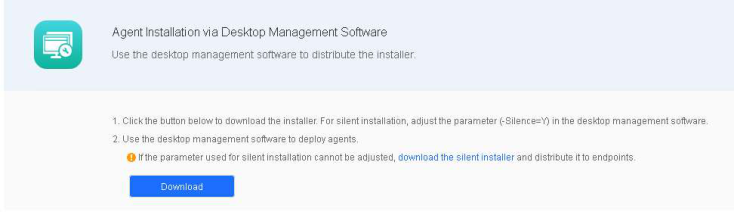
In this scenario, you can download the standard NovaGuard agent installer and set the silence parameter (-Silence=Y) for bulk installation. Go to System Agent Deployment - Agent Download, select Windows, click Agent Installation via Desktop Management Software in Bulk Deployment, and click Download, as shown in the following figure.
Scenario 2: Desktop management software for bulk installation does not support the silence parameter.
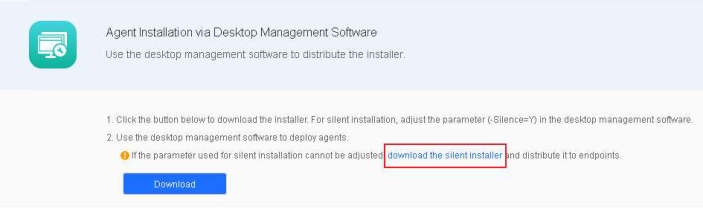
In this scenario, you must download the silent NovaGuard agent installer for Windows for bulk installation. Go to System - Agent Deployment - Agent Download, select Windows, click Agent Installation via Desktop Management Software in Bulk Deployment, and click download the silent installer, as shown in the following figure.