

NovaGuard › Produktdokumentation › NovaGuard 6.04R4 User Manual › 2.3.3.2 Manual Installation
2.3.3.2 Manual Installation
Download the NovaGuard agent installer to your local device, upload the installer to the endpoint, and run the installation command.
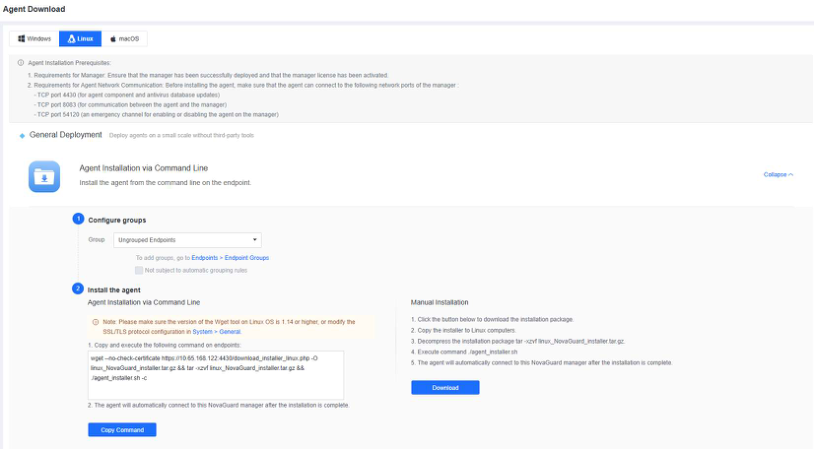
Go to System - Agent Deployment - Agent Download, and select Linux, as shown in the following figure.
-
Click Download under Manual Installation to download the installer.
-
Copy the installer to the Linux endpoint.
-
Run
tar -xzvf linux_NovaGuard.tar.gzto decompress the installer. -
Run
./agent_installer.shto start the installation. -
Wait for the installation to complete. Then, the NovaGuard agent on the endpoint will automatically connect to the NovaGuard manager.

NovaGuard 6.04R4 Manual.pdfPDF · Englisch · 24,1 MB
Herunterladen