2.3.3.5 Installation on Virtual Machines
In virtualization environments, administrators can convert a virtual machine with NovaGuard agent installed into a template, from which virtual machines can be created in bulk. Go to System - Agent Deployment - Agent Download, select Linux, and click Agent Installation on Virtual Machines in Bulk Deployment, as shown in the following figure.
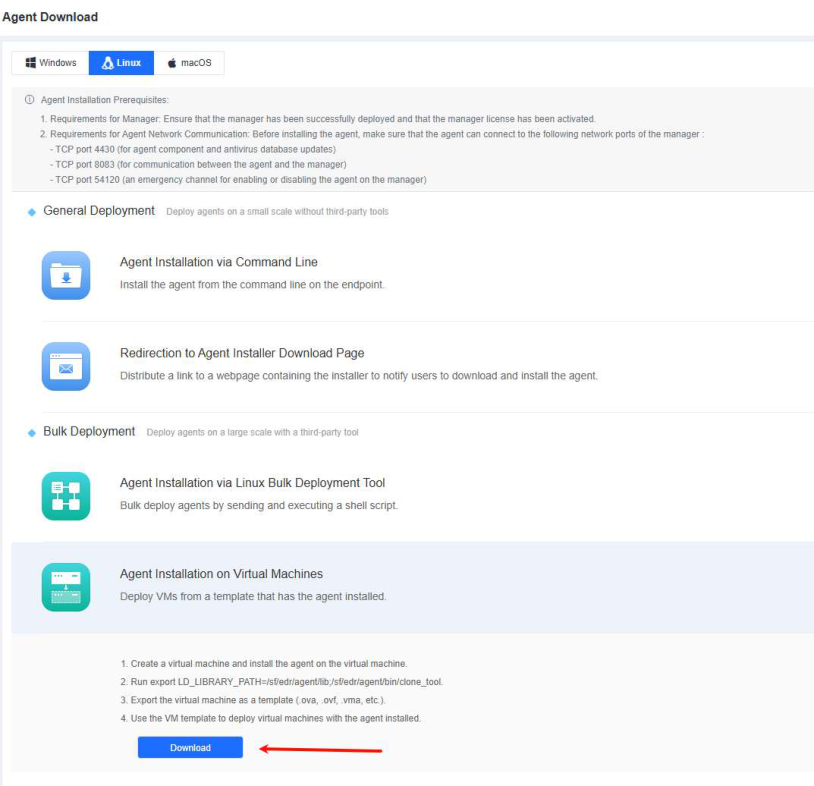
Step 1. Download the installer for standard installation following the instructions in 2.3.3.1 Installation via the Command Line. The endpoint will go online once the installation is complete.

Step 2. Before exporting a virtual machine, run clone_tool under the "xxx/bin/" NovaGuard agent installation directory as the super administrator to ensure that the NovaGuard agent IDs of the created virtual machines are unique.
Run export LD_LIBRARY_PATH=/sf/edr/agent/xs_agent/lib and cd /sf/edr/agent/bin/ to go to the installation directory. Then, run ./clone_tool as the
super administrator and wait for the prompt " create copying flag success " to appear.

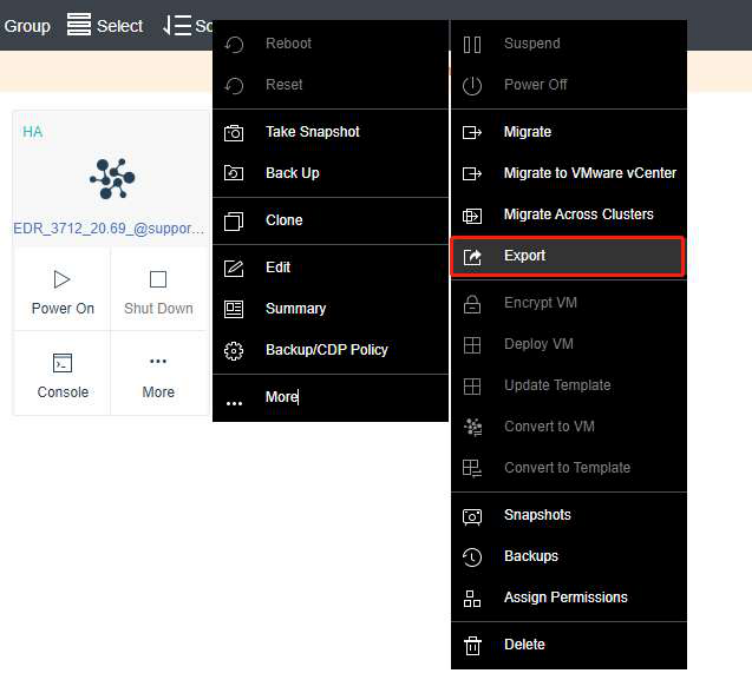
Step 3. Export the virtual machine. In this example, we will use the ForeNova HCI for demonstration.
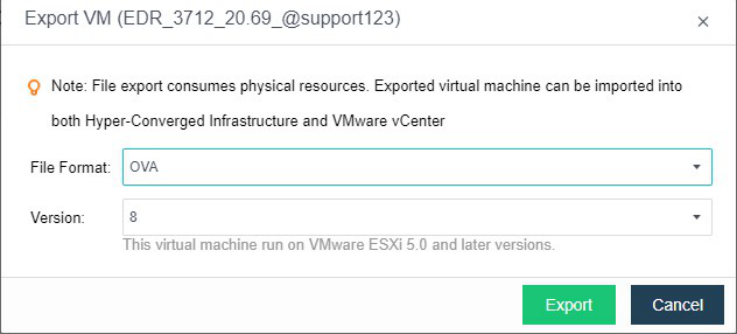
Step 4. Select a file format. OVA is recommended.
Step 5. Once the OVA file is exported, you can use it to create virtual machines with NovaGuard agent installed.