

4.7.3 Integrated Devices
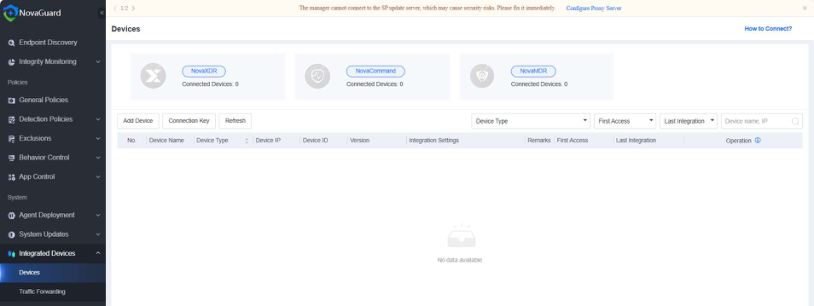
This feature enables NovaGuard to be integrated with NovaXDR, NovaCommand, and NovaMDR, providing customers with a closed-loop solution from threat discovery to threat fix. To manage integrated devices, go to System > Integrated Devices > Devices, as shown in the following figure.
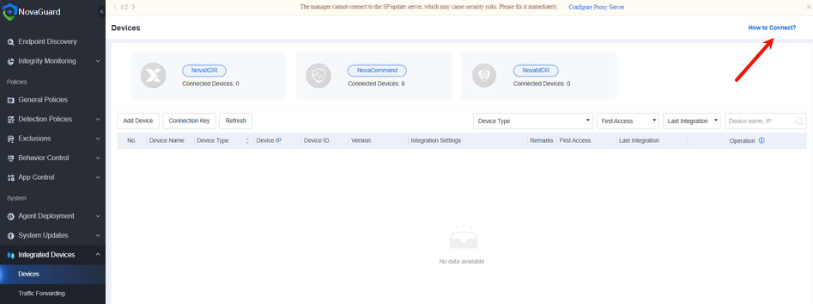
To view the integration configurations of different products, click How to Connect? in the upper right corner of the Devices page.
Features supported by integrated devices
The following table describes the features supported by devices integrated with NovaGuard.
| Device | Agent Deployment | Endpoint Isolation | Log Reporting | Access Control | Virus Scan | Threat Fix | IOC Forensics | Risk Assessment |
|---|---|---|---|---|---|---|---|---|
| NovaXDR | N | Y | Y | Y | Y | Y | Y | Y |
| NovaMDR | N | Y | Y | Y | Y | Y | N | Y |
| NovaCommand | N | Y | Y | Y | Y | Y | Y | Y |
Table 4: Features Supported by Integrated Devices
Device integration configuration
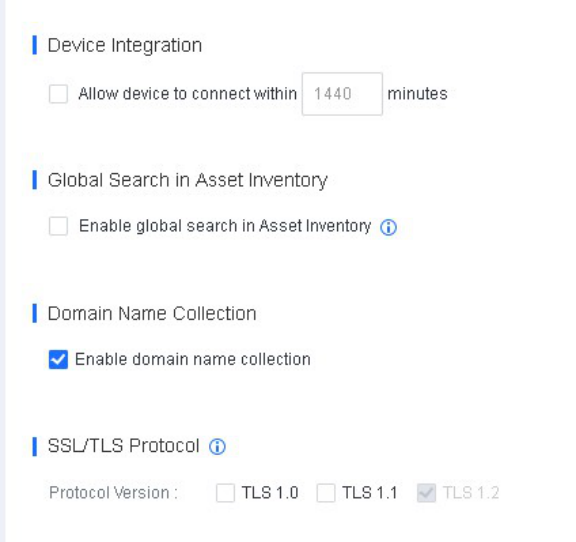
To integrate NovaGuard with any other products, go to System > System > General, enable Device Integration, specify the duration a device can be connected, and select TLS1.0 and TLS1.1 in the SSL/TLS Protocol section.
Inhalt
4.7.3.1 Traffic Forwarding