

4.7.9.4 Logging Options
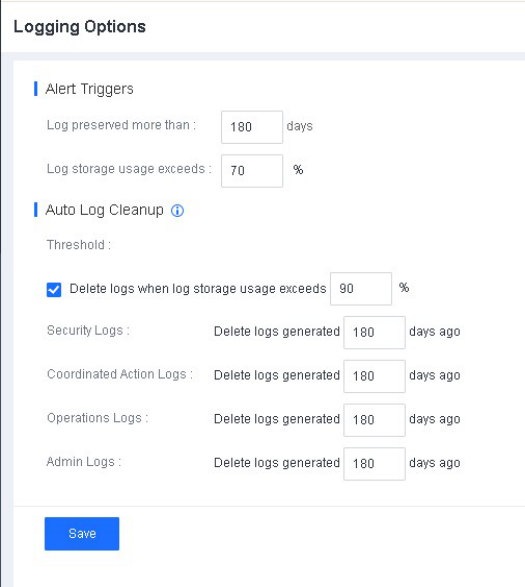
On the Logging Options page, you can set the mechanism for automatic log cleanup. Logs that can be automatically deleted include security logs, coordinated action logs, operation logs, and admin logs. You can set the maximum preservation time for logs before they are automatically deleted to 7
to 1,095 days. By default, automatic log cleanup is enabled. You can set the expected number of log preservation days and log storage usage for triggering alerts in the Alert Triggers area. To set the rules, go to System - System Logging Options, as shown in the following figure.
-
When the log storage usage exceeds 70%, a banner notification will be displayed.
-
When the log storage usage exceeds the threshold for deleting logs, logs are automatically deleted.
