

3.1.1 Import an Upgrade Package
Pre-upgrade checks
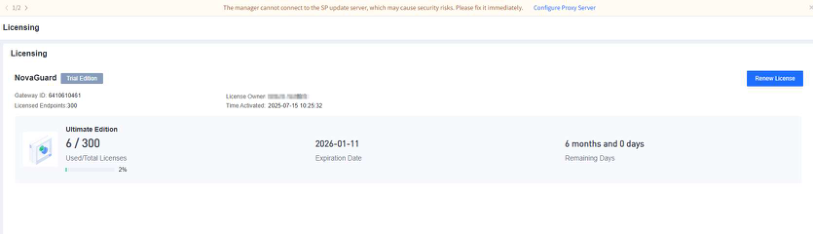
- Check product licensing
Go to System - Licensing and check whether the license is valid, as shown in the following figure. If the license has expired, NovaGuard cannot be upgraded.
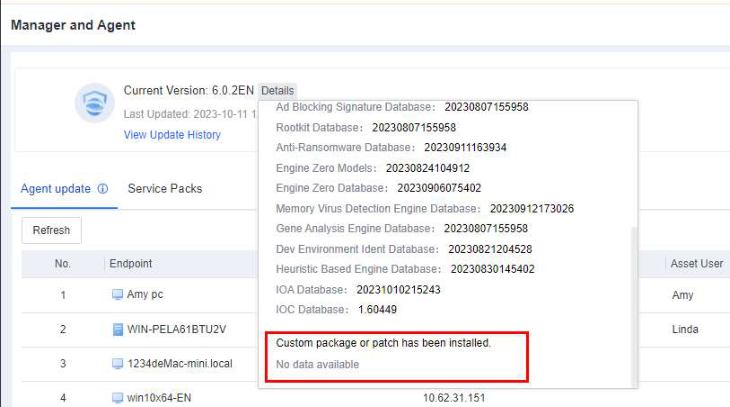
- Check for custom packages and patches
You must contact technical support if custom packages or patches are installed. Go to System > System Updates > Manager and Agent to check whether custom packages and patches have been installed.
Precautions
After the NovaGuard manager is upgraded, the NovaGuard agent automatically downloads upgrade files from the NovaGuard manager. To ensure a stable and efficient NovaGuard agent upgrade, we recommend that you configure both auto upgrade and concurrent upgrade settings.
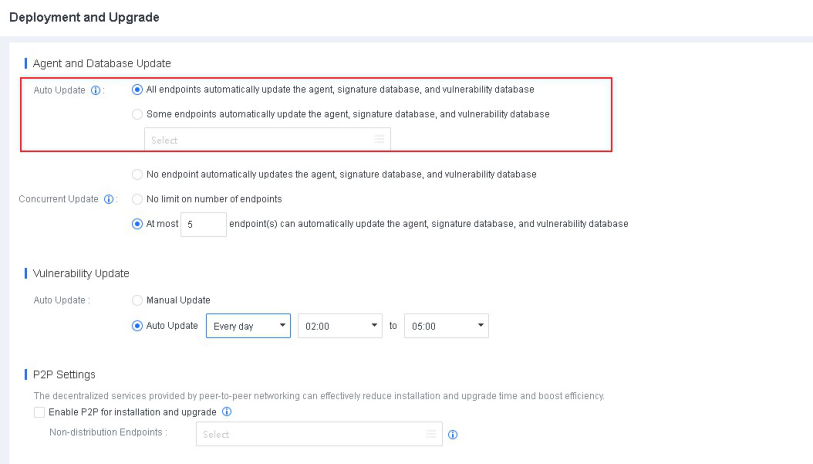
1. Auto update
On the Deployment and Upgrade page of the NovaGuard manager, you can enable auto-update only for some endpoints after the Manager is updated. After these endpoints are successfully updated, select Agent, antivirus database, and vulnerability database on all endpoints to enable the update for all endpoints. It ensures smooth update and system stability.
To configure the settings, go to System - System - Deployment and Upgrade - Agent and Database Update - Auto Update, as shown in the following figure.
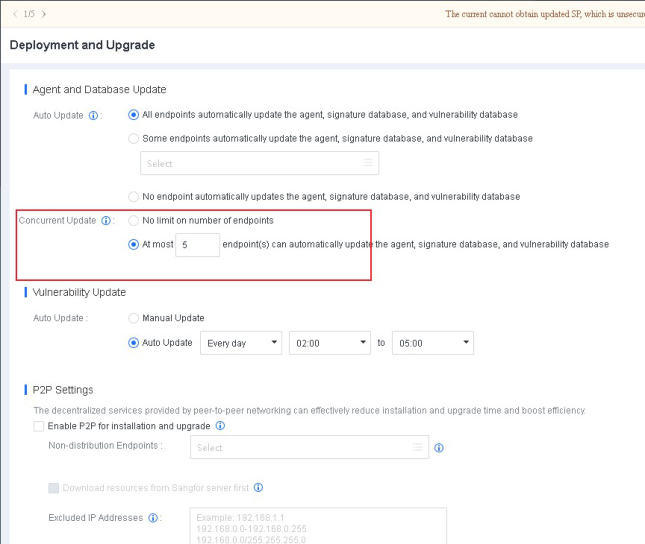
2. Concurrent update
To avoid network congestion, you can specify the maximum number of endpoints that can download the NovaGuard agent installer at the same time. We recommend that you set the maximum number of concurrently updated endpoints to 5 or less if the network bandwidth is 100 Mbit/s and 30 or less if the network bandwidth is 1,000 Mbit/s.
To configure the settings, go to System - System - Deployment and Upgrade - Agent and Database Update - Concurrent Update, as shown in the following figure.
Procedure
-
Ask the ForeNova Support for the latest package
-
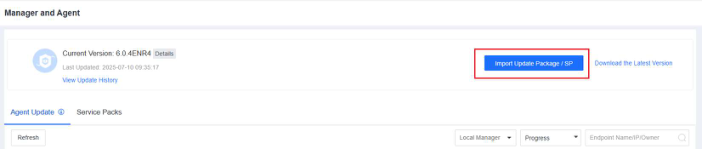
Log in to the NovaGuard manager. Go to System - System Updates Manager and Agent, and click Import Update Package / SP, as shown in the following figure.
- The upgrade process takes about 5 minutes to complete without restarting the server. After the upgrade, you need to log in to the NovaGuard manager again and check whether NovaGuard is upgraded to the new version.
