

NovaGuard › Documentazione dei prodotti › NovaGuard 6.04R4 User Manual › 4.3.2.1.2 Scan Tasks
4.3.2.1.2 Scan Tasks
Steps
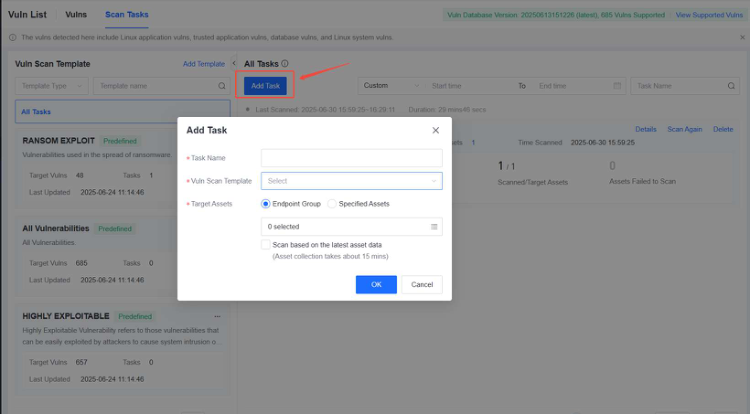
Step 1. On the Vulns tab, click Scan Tasks to go to the Scan Tasks tab. Then, click Add Task .

In the Add Task dialog box that appears, configure the following parameters:
-
Task Name : Specify the name of the scan task.
-
Vuln Scan Template : Select a vulnerability scan template.
-
Target Assets : Select the endpoint group or endpoint to which this scan task will apply.
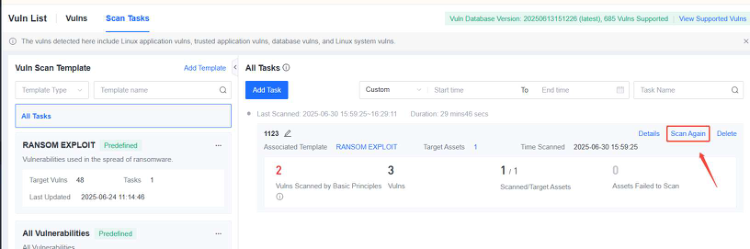
Step 2. Click OK . The scan task is created and automatically executed. If you need to conduct a scan again, click Scan Again .
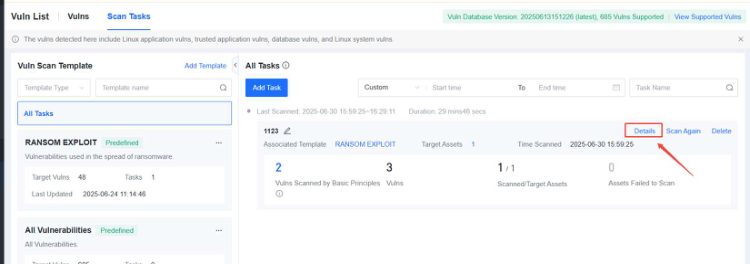
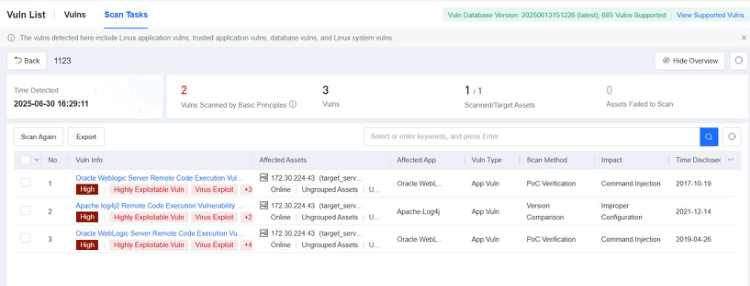
Step 3. After the scan task is completed, click Details to view the scan result.

NovaGuard 6.04R4 Manual.pdfPDF · Inglese · 24,1 MB
Scarica