4.5.1.4 Allow Users to Assign Groups
Applicable Scenario
In multi-branch scenarios without any AD controller, automatic grouping by IP range is not applicable because IP address conflicts may exist between the endpoints of different branches. In this case, you can enable endpoint users to assign groups to their endpoints.
Configuration Guide
Step 1. Create or import groups.
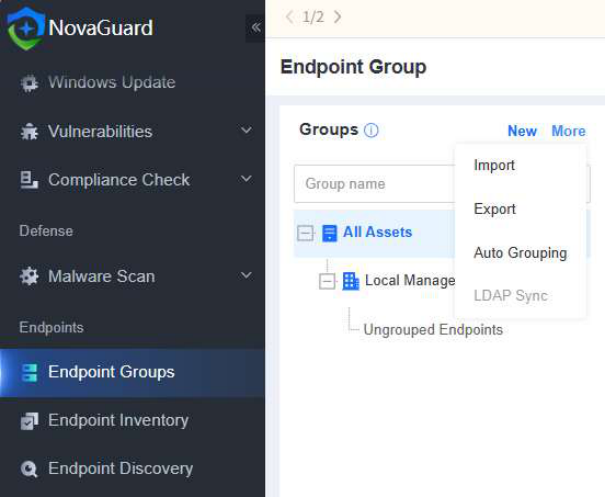
Go to Endpoints - Endpoint Groups - Auto Grouping to disable the automatic grouping, as shown in the following figure.
Step 2. Select Require users to provide asset attributes .
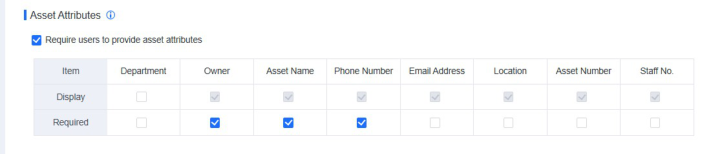
Go to Policies - General Policies - Basic Config, select Require users to provide asset attributes, and then select Display and Required in the Department column, as shown in the following figure.
Step 3. Users assign groups to their endpoints.
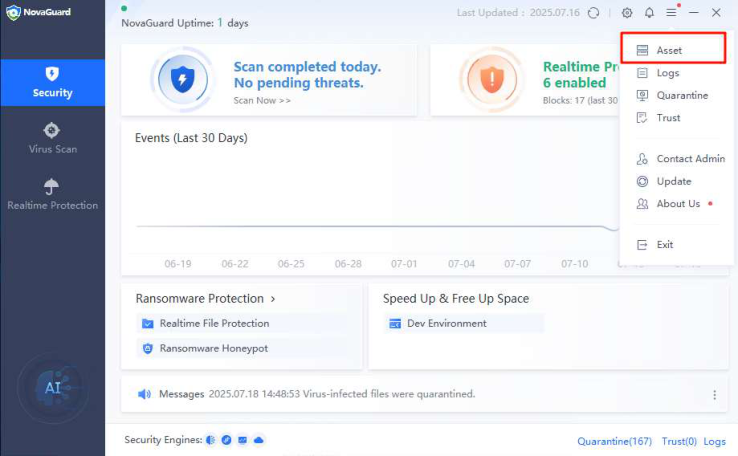
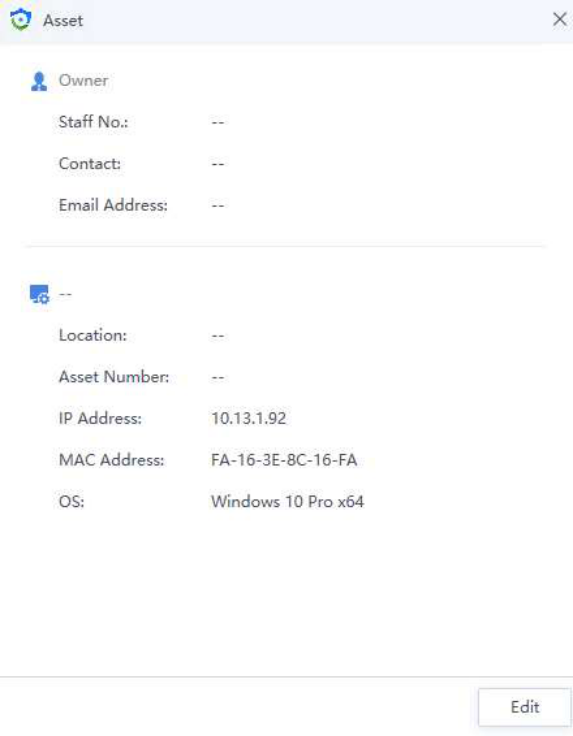
Users can set organizational information for their endpoints during asset registration during the first installation of the NovaGuard agent or edit organizational information after the installation is complete, as shown in the following figure.