

4.6.1.1 Basic Config
On this tab, you can configure the administrator's asset attributes, contact information, notifications, passwords, and policies for collecting endpoint behavior data and logs. For details, see the following description.
Asset Attributes
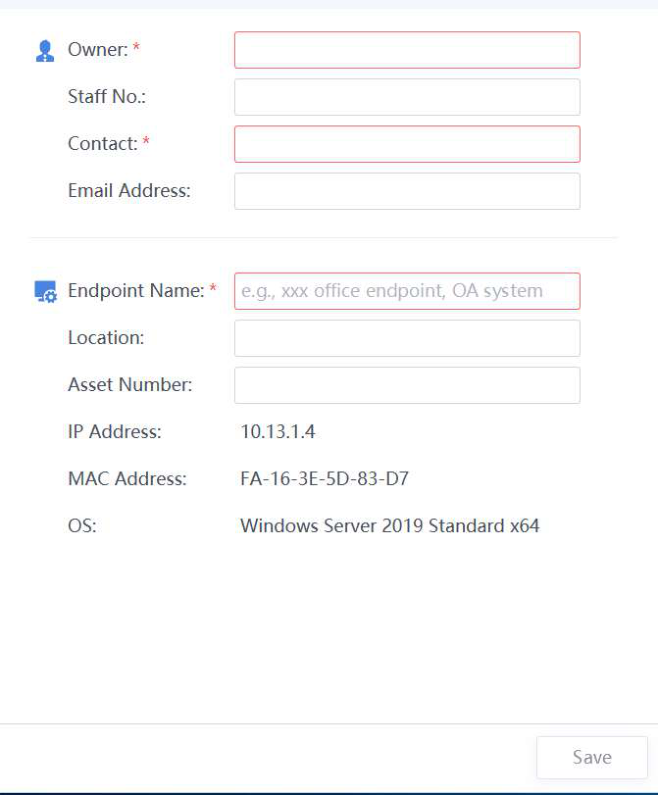
After selecting Require users to provide asset attributes, you can select asset attributes as needed, including the Department, Asset User, Phone Number, Email Address, Location, Asset Number, and Staff No ., as shown in the following figure.

After the configuration, endpoint users can view the details in system messages and provide the asset information as required, as shown in the
following figure.
Administrator Contact Information
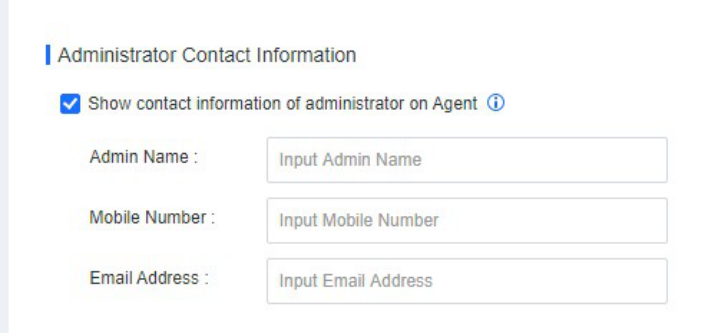
After selecting Show contact information of administrator on Agent, endpoint users can view the administrator's contact information, including the administrator name, mobile number, and email address, as shown in the
following figure.
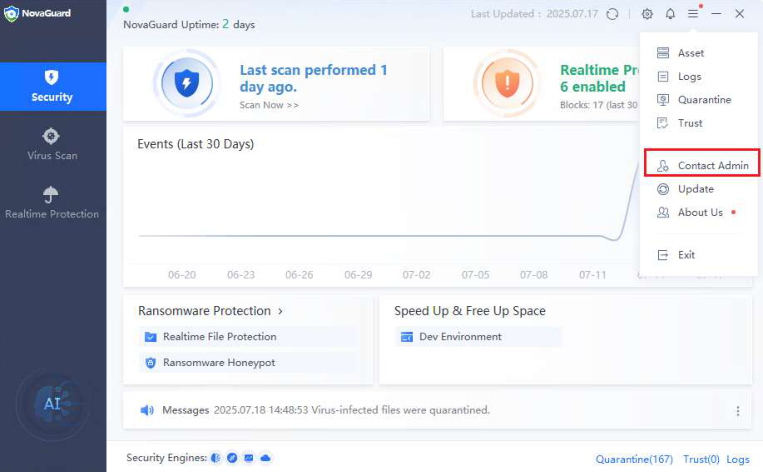
The following figure shows how to view the administrator information on an endpoint.
Notifications (Mute notifications)
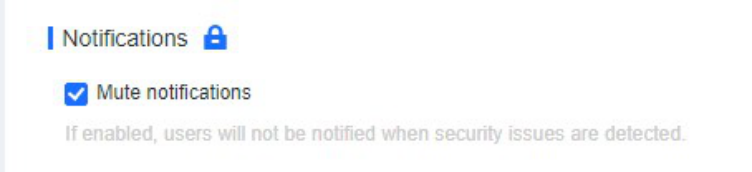
After selecting Mute notifications, endpoint users will not be notified when security issues are detected, as shown in the following figure.
Note:
If the Lock icon is displayed, you cannot modify this option on the NovaGuard agent. If it is
showing an Unlock icon, modification is allowed.
Agent Administration Passwords
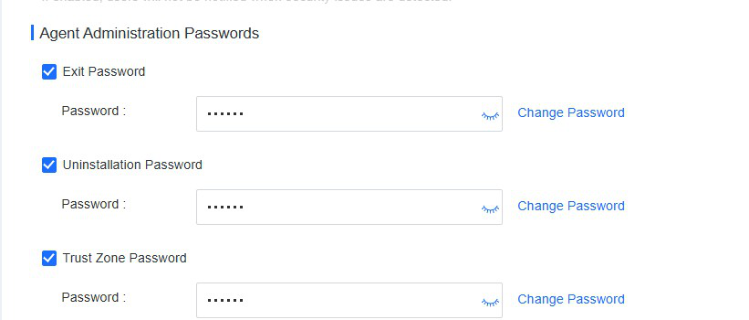
You can set Exit Password, Uninstallation Password, and Trust Zone Password as shown in the following figure.
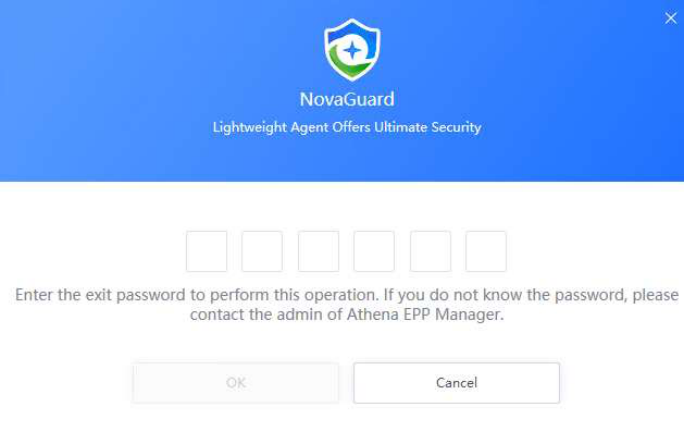
After selecting the Exit Password, an endpoint user is required to enter the password to exit the NovaGuard agent, as shown in the following figure.
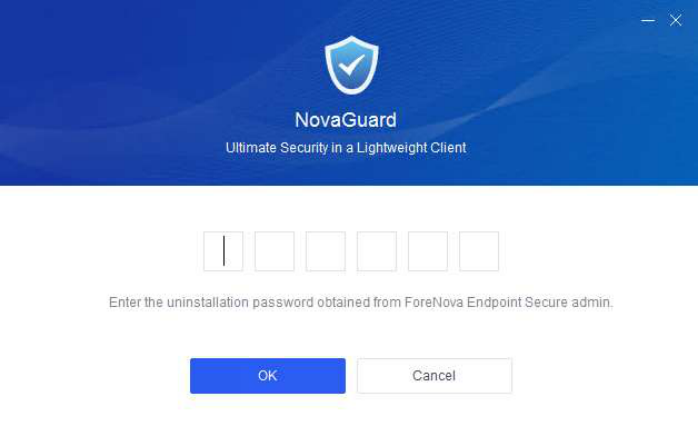
After selecting the Uninstallation Password, an endpoint user is required to enter the password to uninstall the NovaGuard agent, as shown in the following figure.
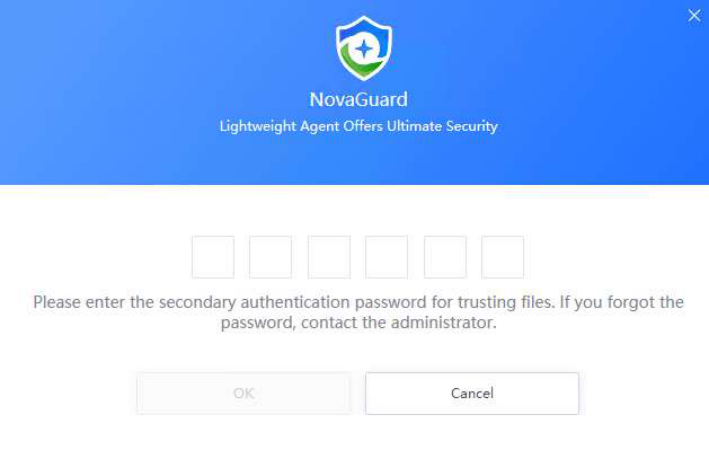
After selecting the Enable password authentication for "trusted files", an endpoint user is required to enter the password to add a trusted file. It prevents unauthorized trust actions, ensuring that endpoints are protected on NovaGuard.
Note:
The Enable password authentication for "trusted files" option is available for Windows
endpoints only.
Advanced Threat Detection and Log Collection

Collect endpoint behavior data, including file, network, registry, DNS, and scheduled task activities : To use the advanced threat detection and threat hunting features, or report advanced threat alerts and events to NovaXDR or NovaMDR, please enable this option.
Report endpoint behavior data, including file, network, registry, DNS, and scheduled task activities: To report endpoint behavior data to NovaXDR or NovaMDR for analysis, please enable this option.
Collect logs in Event Viewer > Windows Logs > Security on Windows endpoints and report them to NovaMDR.
