

NovaGuard › Documentazione dei prodotti › NovaGuard 6.04R4 User Manual › 4.6.1.9 Customization
4.6.1.9 Customization
On this tab, you can customize the brand name and logo as needed.
Customize the NovaGuard manager
To change the name and logo for the NovaGuard manager, go to System System - Customization, as shown in the following figure.
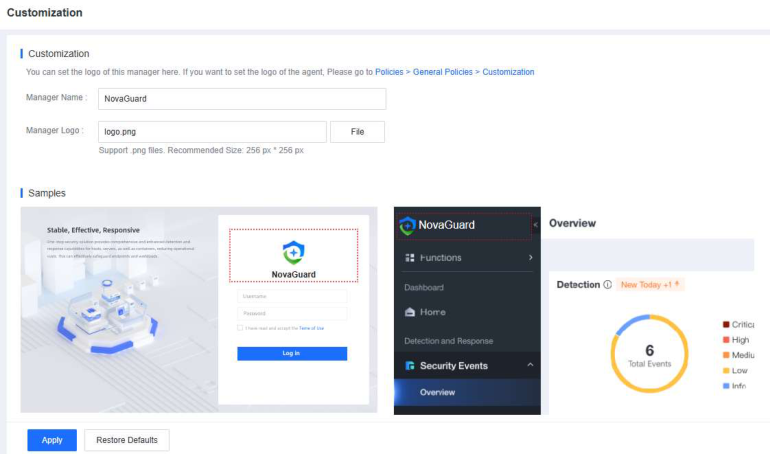
On the Customization page, change the Manager Name and upload a Manager logo image.
Customize the NovaGuard agent
To change the name and logo for the NovaGuard agent, go to Policies Customization, as shown in the following figure.
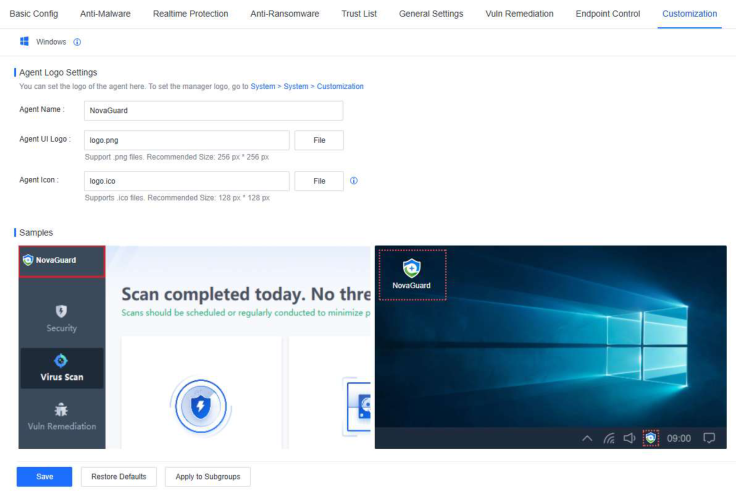
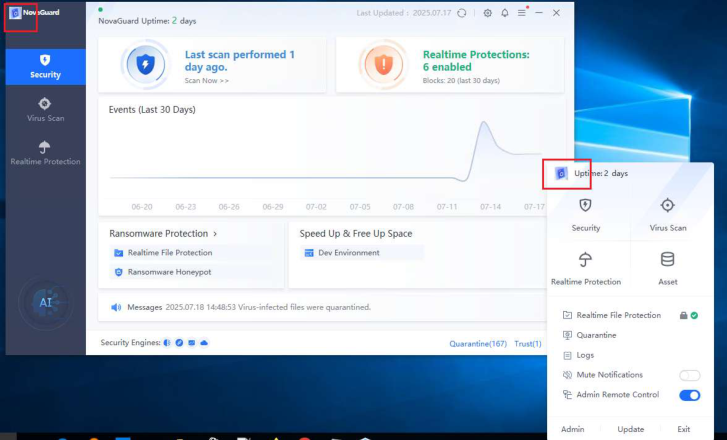
On the Customization page, change the Agent Name, UI Logo, and Agent icon. The following figure shows a sample.

NovaGuard 6.04R4 Manual.pdfPDF · Inglese · 24,1 MB
Scarica