

4.7.9.6 Alert Options
Security event alerts can be sent to specified email addresses.
Email alerts
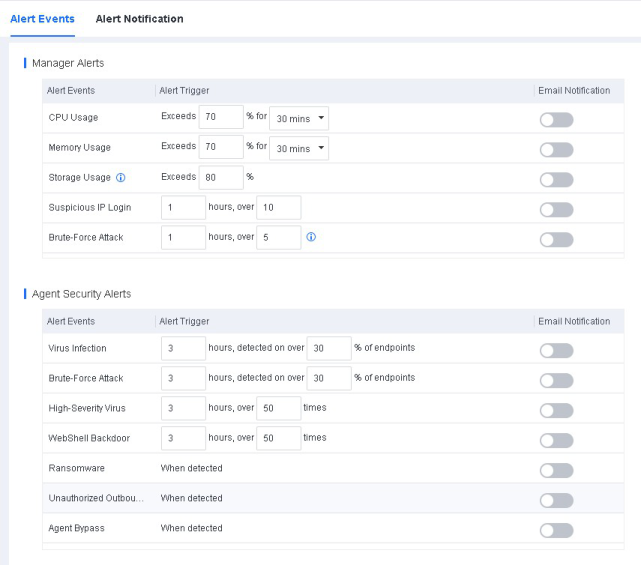
The NovaGuard manager supports the monitoring of CPU, memory, and disk usage. If the usage exceeds the threshold for the specified period, you are alerted by email. This feature keeps you informed of the operation status of NovaGuard and the global security.
To configure alert events, go to System - System - Alert Options - Alert Events, as shown in the following figure.
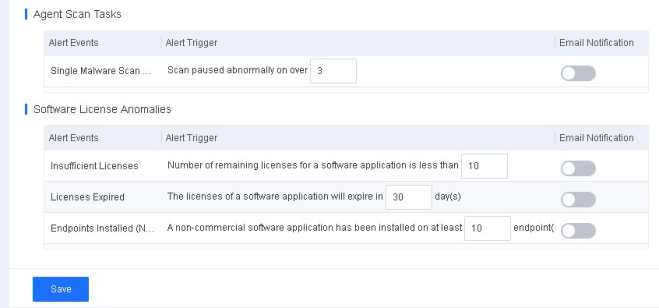
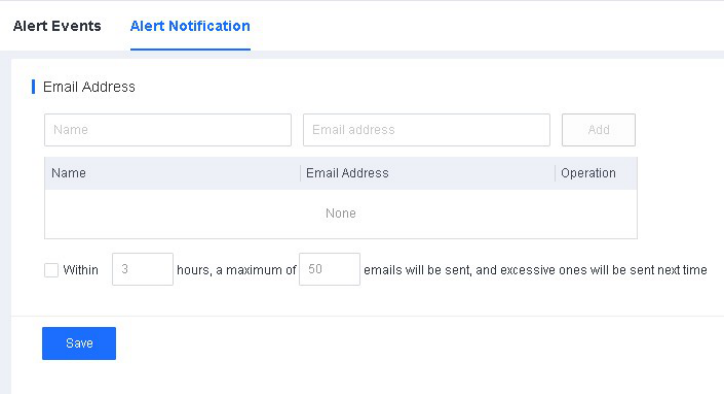
To configure an alert notification, go to System - System - Alert Options Alert Notification, as shown in the following figure.
The following figure shows a sample alert email sent to the specified email addresses when a specified event triggers an alert.

Note:
To use email alerts, you must first configure the SMTP server in the General module.
