

NovaGuard › Product Documentation › NovaGuard 6.04R4 User Manual › 2.3.4.1 Installation on Physical Machines
2.3.4.1 Installation on Physical Machines
Administrators can download the NovaGuard agent installer locally and deliver it to users via portable devices and network sharing.
Go to System - Agent Deployment - Agent Download, select Mac, and click Agent Installation on Physical Machines - Download, as shown in the following figure.
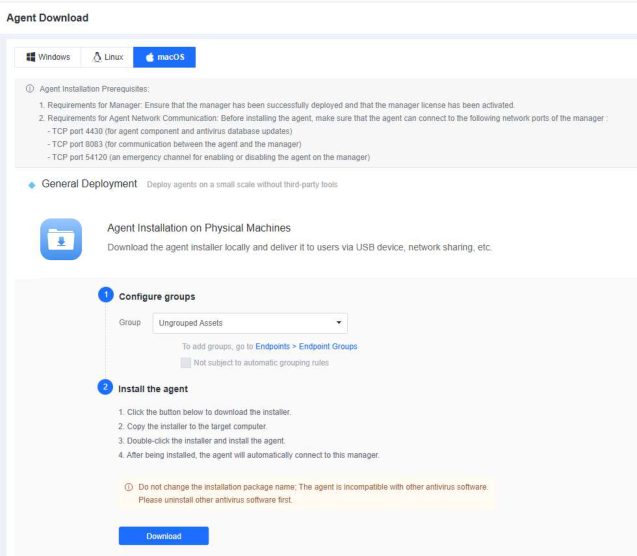


The name of the installation package for macOS ( NovaGuard_[Manager IP]_4430.exe )
contains the NovaGuard manager IP address. Do not change the installer's name.
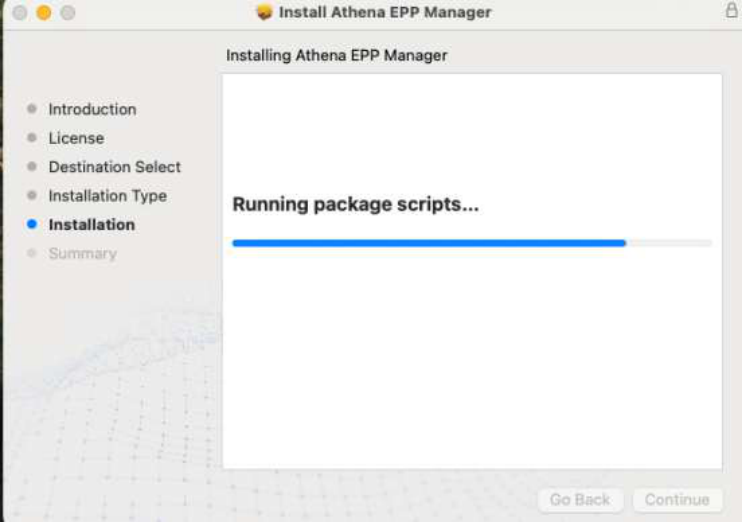
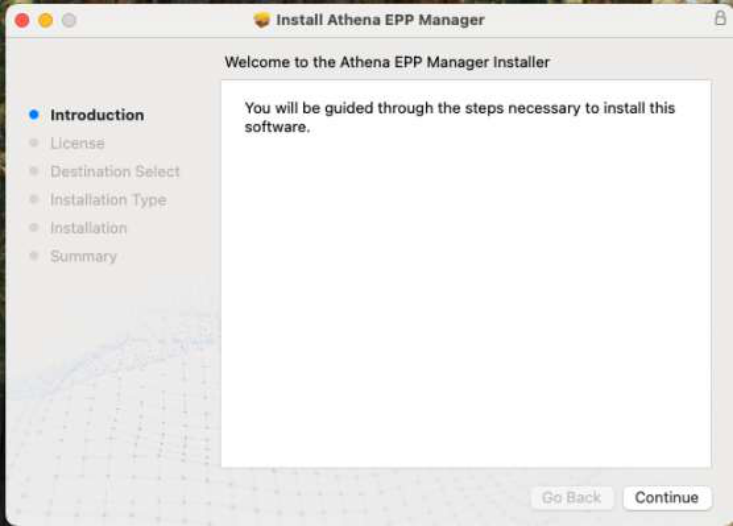
Double-click the installer and follow the wizard's prompts, as shown in the following figure.
After the installation, you can find the icon of the NovaGuard agent in the macOS menu bar, as shown in the following figure.

NovaGuard 6.04R4 Manual.pdfPDF · Language unconfirmed · 24.1 MB
Download