

NovaGuard › Product Documentation › NovaGuard 6.04R4 User Manual › 2.4.3 Uninstallation on NovaGuard Manager
2.4.3 Uninstallation on NovaGuard Manager
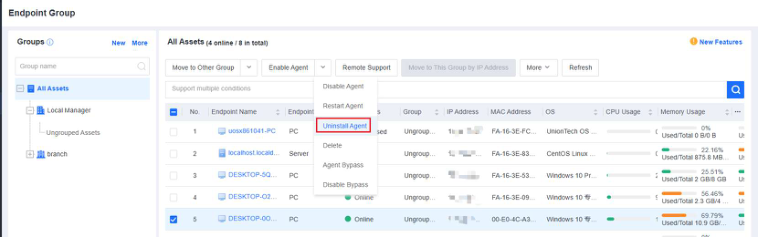
On the NovaGuard manager, go to Endpoint - Endpoint Groups and select the endpoint from which you want to uninstall the NovaGuard agent. Click Uninstall Agent, as shown in the following figure.
Note:
You can uninstall the NovaGuard agent in Online or Disabled status, and the endpoints
must be able to receive the policies distributed from the console. The uninstallation will
automatically start silently in the background after the NovaGuard agent on the endpoint
receives the uninstallation command.
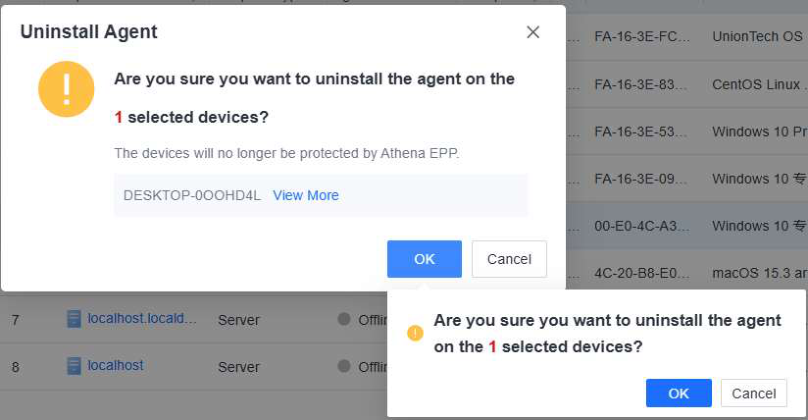
Click OK in the confirmation window.
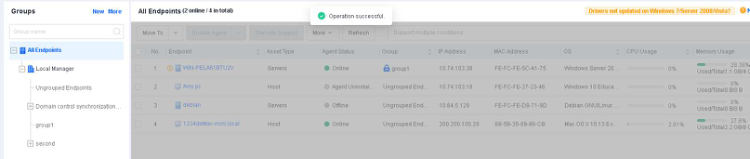
Wait for the prompt " Operation successful " to appear on the NovaGuard manager.
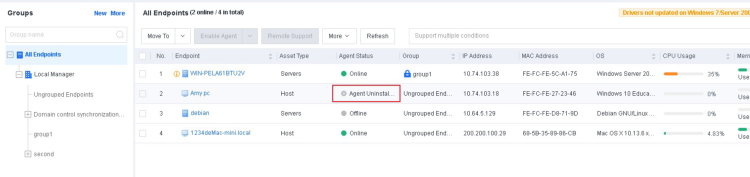
The uninstallation is complete once the status of the endpoint becomes Agent Uninstalled .

NovaGuard 6.04R4 Manual.pdfPDF · English · 24.1 MB
Download