3.2 Update Service Packs
When an NovaGuard service pack is released, the NovaGuard manager can update it online, or you can manually import the service pack. To view the
details of service pack update, go to System - System Updates - Manager and Agent - Service Packs .
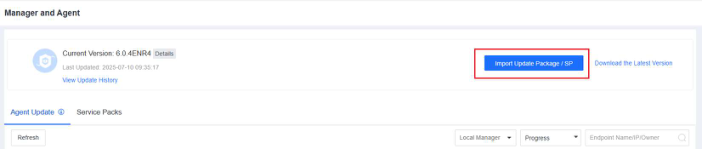
Configure service pack update settings
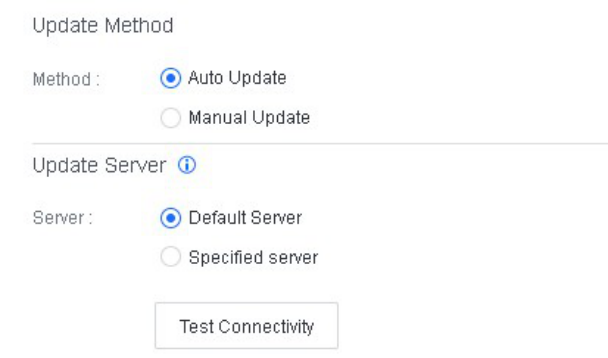
You can specify the method for updating service packs.
Go to System - System Updates - Manager and Agent - Service Packs . Click Update Options and specify the update method and upgrade server, as shown in the following figure.
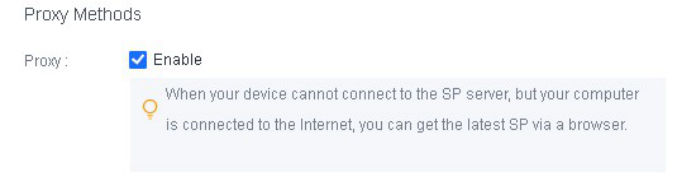
If the NovaGuard manager cannot directly connect to the Internet, but the local computer has Internet access, you can enable a browser proxy, so that the NovaGuard manager obtains service pack updates through the proxy, as shown in the following figure.
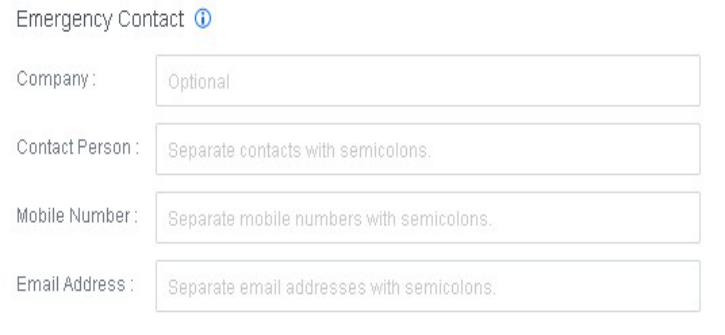
We recommend that you provide an emergency contact, as shown in the following figure. If we have released an emergency pack, but you do not enable automatic upgrade, we can contact you at the earliest opportunity to prevent business interruptions.