

4.2.1.7 Advanced Threats
Scenario
In response to emerging threats and attack-defense scenarios, such as ransomware attacks and phishing emails exploiting office networks to breach internal systems, NovaGuard can, by leveraging Indicator of Attack (IOA) rules, detect abnormal behaviors such as ransomware and phishing (for details, see MITRE ATT&CK framework, which outlines adversary tactics and techniques such as fault injection, credential stealing, and permission escalation). NovaGuard swiftly generates security alerts when detecting threats or attacks
and blocks high-risk activities. Furthermore, NovaGuard traces the process chain responsible for initiating an attack, consolidates all related abnormal behaviors into a precise security event, and helps identify the source of the attack and any startup items created in the operating system for comprehensive removal.
Example:
The following is an example of detecting and handling cryptomining, which illustrates the features of Advanced Threats.
During routine O&M, the security administrator observes some suspicious activities flagged by the Advanced Threats service of NovaGuard. These activities include cryptomining attacks, account activations, and creating suspicious files, as shown in the following figure.
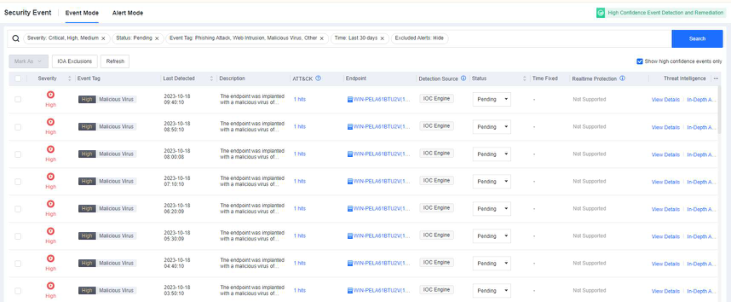
On the Event Mode tab, the administrator finds a security event of critical severity, as shown in the following figure. NovaGuard has consolidated various suspicious activities into a complete attack event.

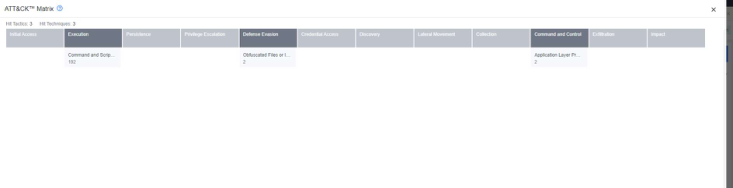
On the Event Mode tab, the administrator finds multiple hits within the ATT&CK matrix, as shown in the following figure.

The attack hits multiple tactics within the ATT&CK matrix, including execution, persistence, defense evasion, credential access, discovery, command and control, and impact.
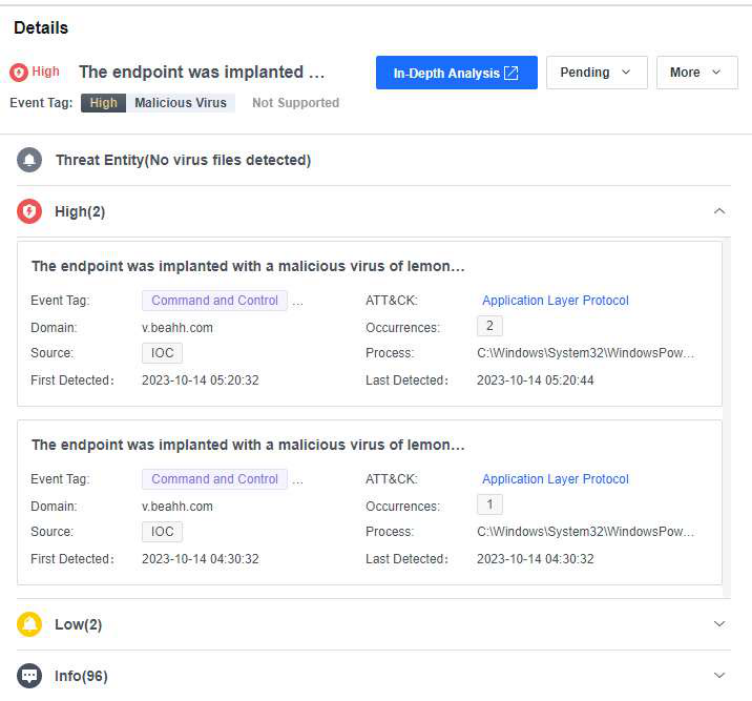
After clicking View Details, the administrator can check the involved threat entities and alerts.
After clicking In-Depth Analysis, the administrator can trace the complete attack chain.

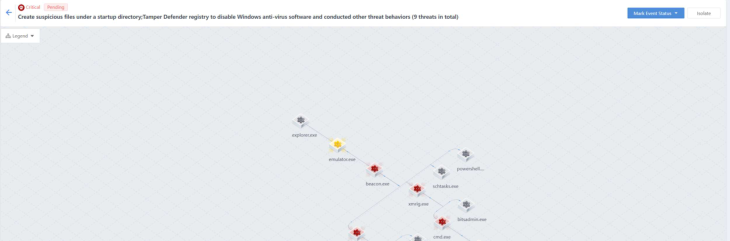
1. Attack entry The attacker accessed the testing machine through a remote desktop login and released the attack sample emulator.exe. After the sample is executed, the beacon.exe file and a process are automatically created.

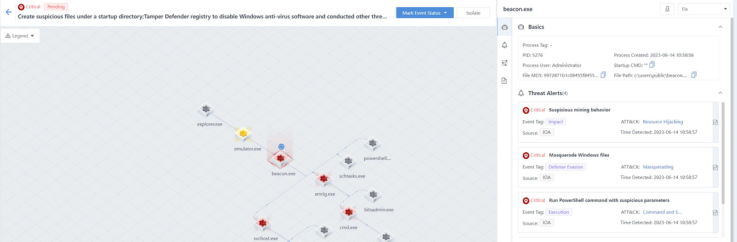
2. Create suspicious task plans to carry out persistent attacks
The beacon.exe creates the schtasts.exe process and creates suspicious task plans through the schtasts.exe process to carry out persistent attacks.

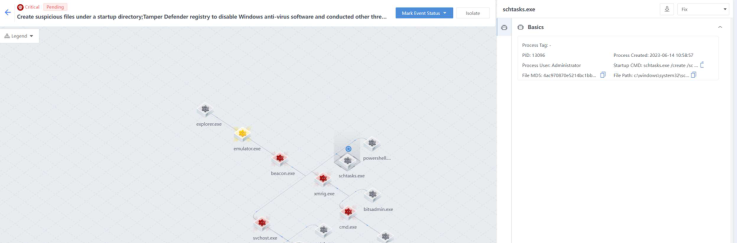
3. Execute confusing PowerShell commands to bypass security protection and carry out the attack The beacon.exe creates a powershell.exe process to bypass security protection and carry out the attack by executing confusing PowerShell commands.

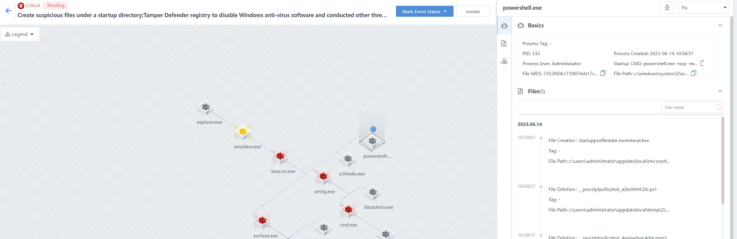
4. Detect host users to collect information
The beacon.exe creates the svchost.exe process and calls the command cmd /c quser to detect host user information to achieve information collection.

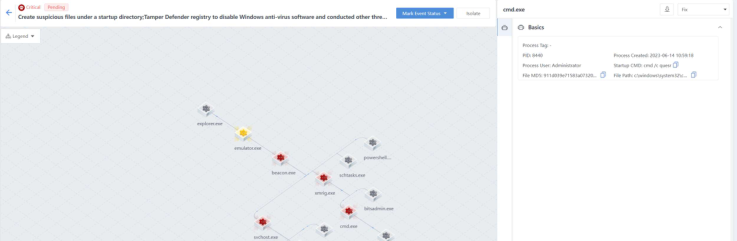
5. Activate a host guest user to achieve a persistent attack The beacon.exe creates the svchost.exe process and calls the command net user guest guest /active to activate the host guest user to carry out a persistent attack.

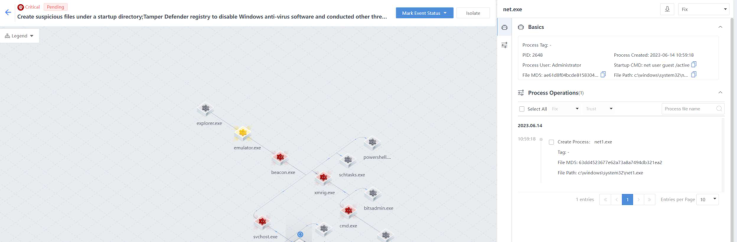
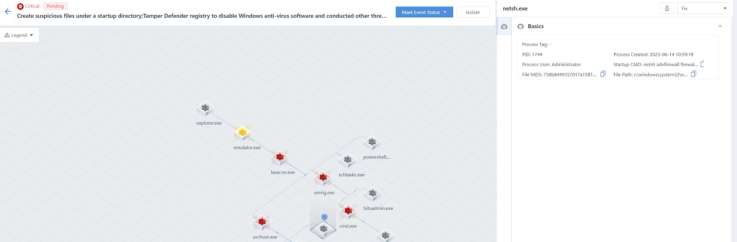
6. Create a suspicious firewall bypass list via netsh The beacon.exe creates the svchost.exe process and calls the netsh command to add firewall whitelist rules and establish suspicious connections in an
attempt to bypass firewall security protection.

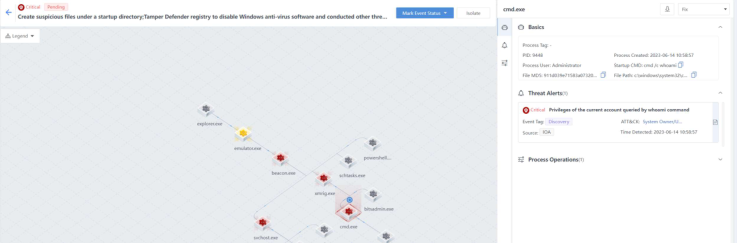
7. Check the permissions of the current user and gather sensitive information The beacon.exe creates the xmrig.exe file and a process, calls the cmd /c whoami command to check the current user's permissions, and gathers sensitive information.

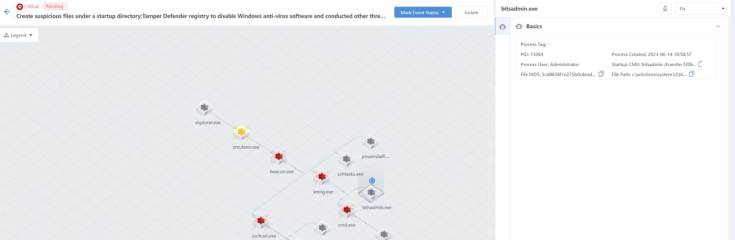
8. Download a mining virus for mining
beacon.exe creates xmrig.exe files and processes, and calls bitsadmin.exe to download a mining virus for mining.

9. Handling of attacks Through the traceability analysis of the above process attack chain, the conclusions are as follows:
The testing machine is infected with a mining virus. The attack sample emulator.exe created the malicious files beacon.exe and xmrig.exe, and launched multiple processes to complete attacks such as execution, persistence, defense evasion, credential access, detection, and command and control.
The handling method is as follows:
- Isolate the malicious files emulator.exe, beacon.exe, and xmrig.exe.

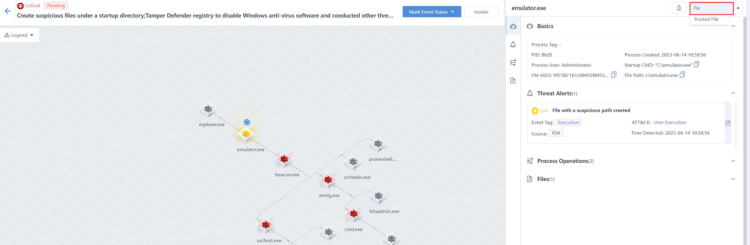
- Isolate the endpoint without affecting the business and avoid the horizontal spread of the threat.
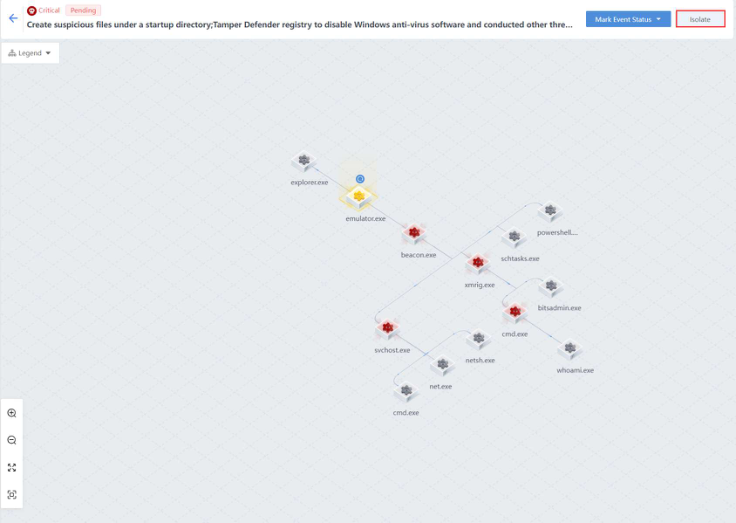
- Perform a full investigation, kill the endpoint with the threat detected, and
remove the remaining items.
a) The attacker obtained permissions and injected the virus via RDP access/brute-force attacks. Therefore, the following security enhancements are recommended:
i. Disable unnecessary remote ports.
ii. Enable RDP secondary authentication and brute-force attack protection on NovaGuard.
iii. Install system security patches in time.
