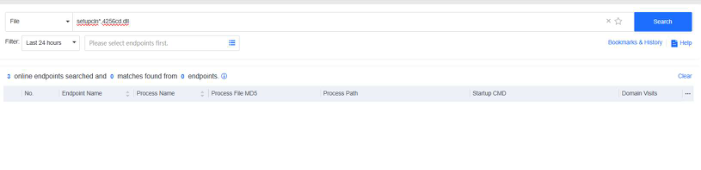
4.2.3.1 Search with a Single Condition
Search with a single condition includes search by domain name, network connection, executable file hash value, or file name.
- Search by Domain Name :
Enter one or more domain names separated by commas (,) to search for devices and activities communicating with the specified domain names. Fuzzy search using the wildcard (*) is supported.
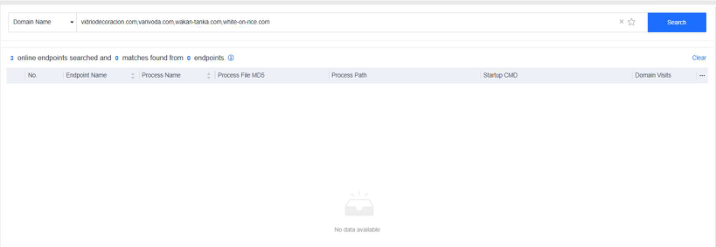
Example: Use the domain names related to the Emotet virus to query potentially infected endpoints and the processes communicating with the Emotet domain names. Search statement: vidriodecoracion.com,varivoda.com,wakan tanka.com,white-on-rice.com
The query result is shown below.
- Search by IP Address: Enter one or more IP addresses separated by commas (,) to search for endpoints with the network connection to/from the specified IP addresses and the corresponding processes.
Example: Use the IP addresses related to the Emotet virus to query potentially infected endpoints and the processes communicating with the IP addresses.
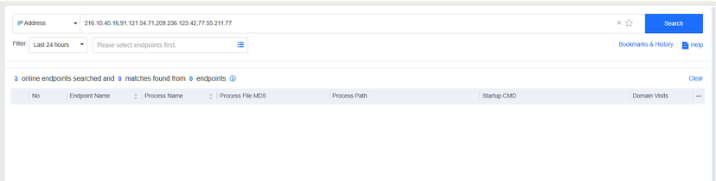
Search statement: 216.10.40.16,91.121.54.71,209.236.123.42,77.55.211.77
The query result is shown below.
- Search by executable file hash value: Enter one or more MD5 or SHA256 values of suspicious files separated by commas (,) to search process operation and module loading activities for endpoints matching the specified hash values and the corresponding processes.
Example: Use the SHA256 value of the file related to the Emotet virus to query potentially infected endpoints.
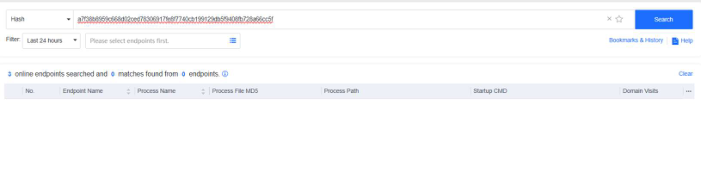
Search Statement: a7f38b8959c668d02ced78306917fe8f7740cb199129db5f9408fb728a66cc5f
The query result is shown below.
- Search by File name Enter one or more suspicious file names separated by commas (,) to search for related endpoints and events. Fuzzy search using the wildcard (*) is supported.
Example: Use malicious Emotet file names to query potentially infected endpoints.
Search Statement: setupcln*,4256cd.dll
The query result is shown below.