4.3.1.1.1 Assets
On the Assets tab, you can view the Windows patching statistics of endpoints, including the total number of patches, the number of installed patches, etc.

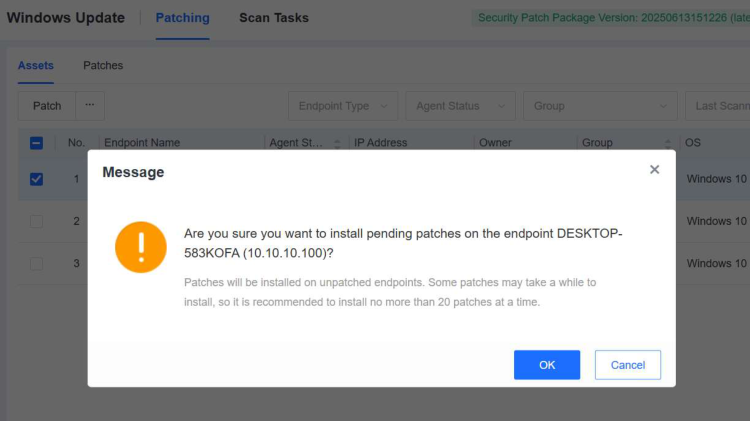
Select an endpoint and click Patch in the upper-left corner. Then, the corresponding patches will be pushed to the endpoint.
Note:
Patches will be installed only on endpoints that are unpatched or failed to be patched. Some patches may take a long time to install. Therefore, we recommend that you install no more than 20 patches at a time.
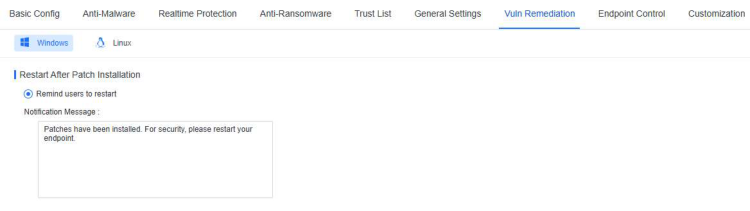
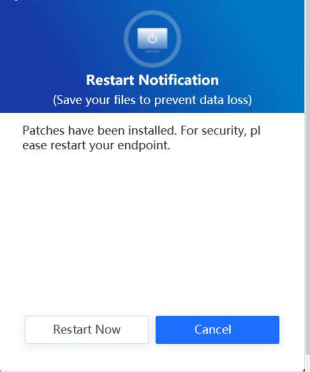
You can go to Policies - General Policies - Vuln Remediation and select Remind users to restart under Restart After Patch Installation as an administrator. This way, after the patches are successfully installed on the endpoint, a notification message will appear to prompt the endpoint user to restart the endpoint. The notification message can be customized as needed.