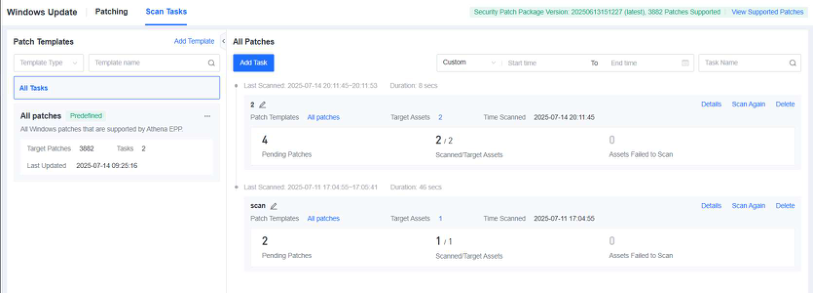
4.3.1.2 Scan Tasks
On the Scan Tasks tab, you can view the patch template statistics, such as the number of patches included in the predefined patch library, the time when the patch library was last updated, and other key information. In addition, you can create scan tasks for specific endpoint groups or endpoints to scan the vulnerabilities on the endpoints groups or endpoints.
Steps
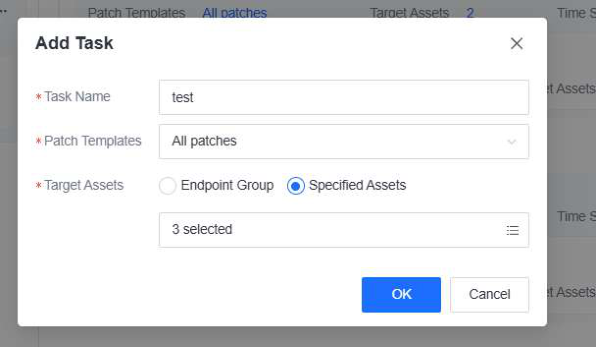
Step 1. Click Add Task to create a scan task. In the Add Task dialog box, configure the following parameters:
-
Task Name : Specify the name of the scan task.
-
Patch Templates : Select a patch template.
-
Target Assets : Select the endpoint group or endpoint to which this scan task will apply.
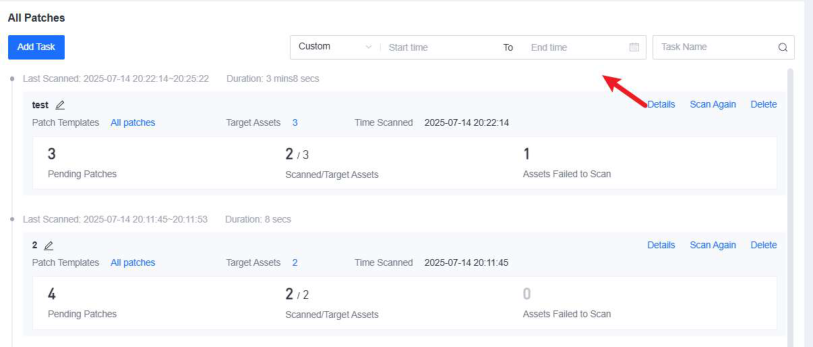
Then, click OK . The scan task is created and automatically executed.
Step 2. After the scan task is completed, click Details to view the scan result.


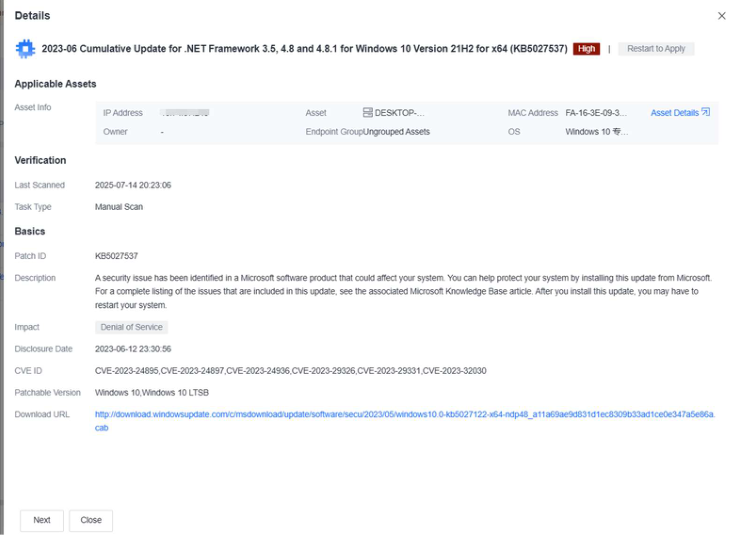
Step 3. Click the name of a patch to view the corresponding details, including the asset information, last scan time, patch ID, impact, disclosure date, patchable version, patch download URL, etc.