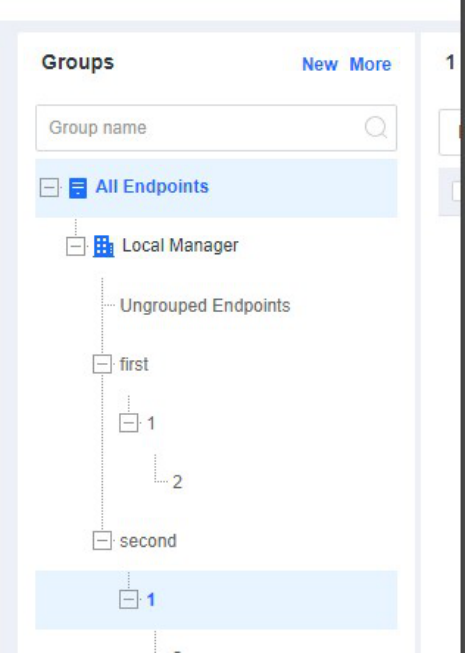
4.5.1.1 Create Groups
Applicable Scenario*
In scenarios that involve a few groups, you can create groups manually for automatic endpoint grouping by endpoint IP range or endpoint name.
Configuration Guide
Plan business groups and IP addresses in advance, create groups according to asset attributes, and enable automatic grouping by endpoint IP range or endpoint name. Then, the endpoints with NovaGuard agent installed will automatically join the corresponding groups based on their IP addresses or names when they go online.
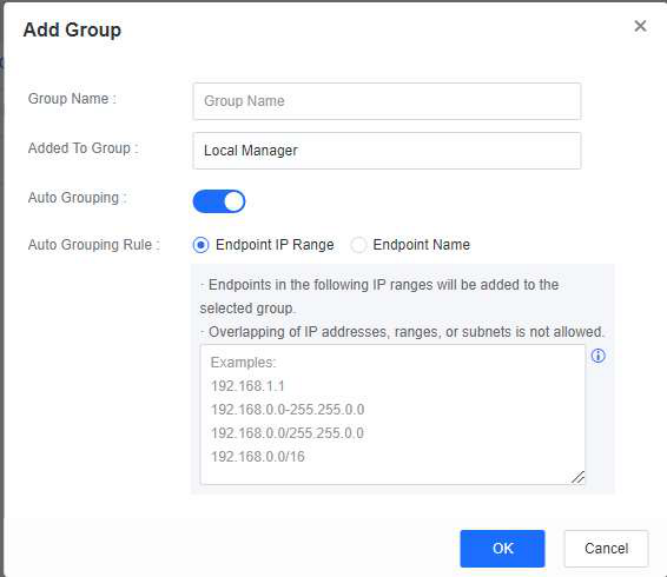
To create a group, go to Endpoint - Endpoint Groups and click New . In the Add Group dialog box, enable Auto Grouping, select Endpoint IP Range or Endpoint Name for Auto Grouping Rule, and enter IP ranges or keywords, as shown in the following figure.
A sample organizational structure of groups is as follows.