4.5.1.3 LDAP Sync
Applicable Scenario
In scenarios where the customer has deployed an AD domain server in the internal network to which endpoints are connected for unified management, administrators can enable LDAP synchronization to automatically synchronize specific OUs and users to NovaGuard for unified user management.
Configuration Guide
Go to System - System - LDAP Sync and configure parameters based on the configurations in the following figure.
1. Basics
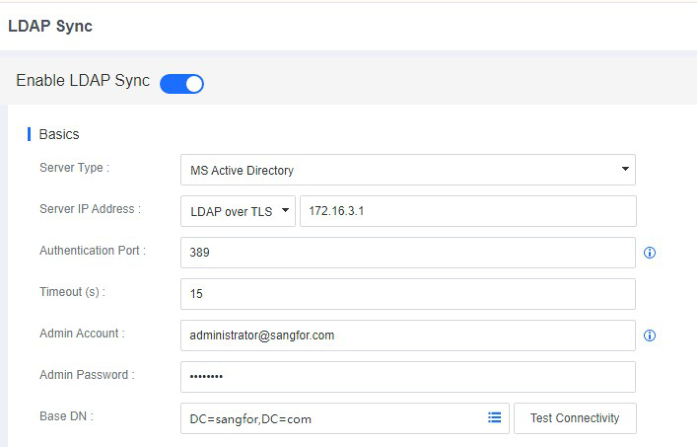
Basics : Specify the IP address of the AD domain server, the authentication port, the administrator account username, the administrator account password, and the Base DN. The administrator account username must be in the following format: administrator@domain.com.
2. Organizational Sync
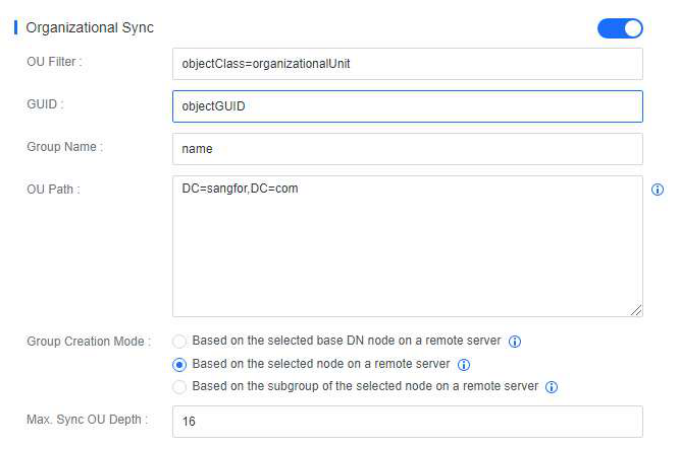
Organizational Sync : Specify OU paths and a group creation mode and keep other parameters at their defaults.
3. User Sync
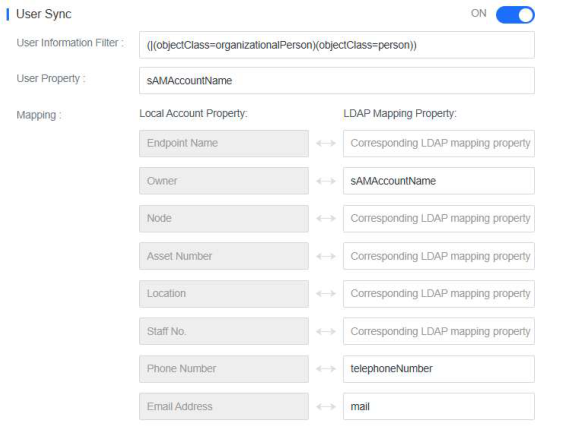
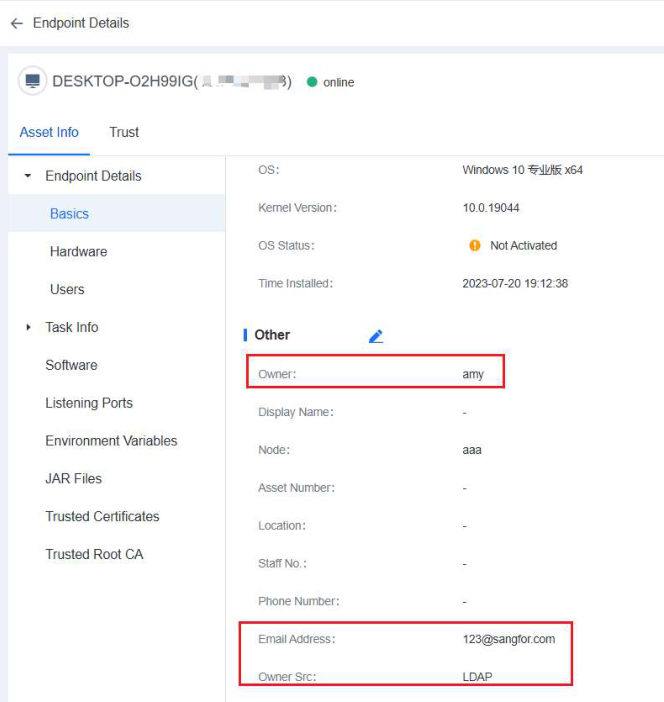
User Sync : Map domain user properties to the NovaGuard manager and keep other parameters at their defaults, as shown in the following figure.
4. Group Sync

Group Sync : Endpoints are automatically grouped on the NovaGuard manager according to the structure in the AD domain. Automatic grouping is triggered after you log in to an endpoint with a domain account and trigger LDAP synchronization.
Trigger LDAP Sync
You can trigger LDAP synchronization manually or at a scheduled time.
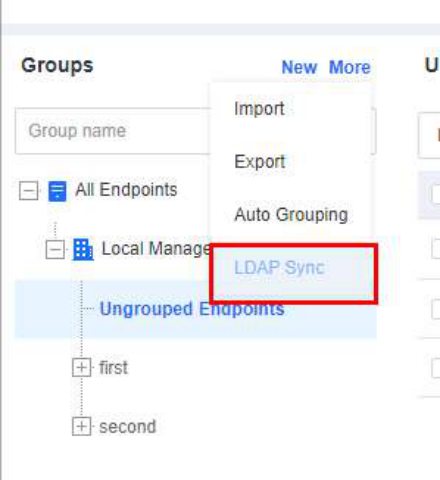
1. Manual synchronization
To synchronize the LDAP information manually, go to Endpoints - Endpoint Groups and click More - LDAP Sync, as shown in the following figure.
2. Automatic synchronization
To synchronize LDAP information automatically, enable Auto Sync Setting, select Every day, Every week, or Every month, and set a specific time, as shown in the following figure. Then, the NovaGuard manager will automatically synchronize OU and user information from the LDAP server.
Effects

On the Endpoint Groups page of the NovaGuard manager, you can find the OUs synchronized from the LDAP server, as shown in the following figure.
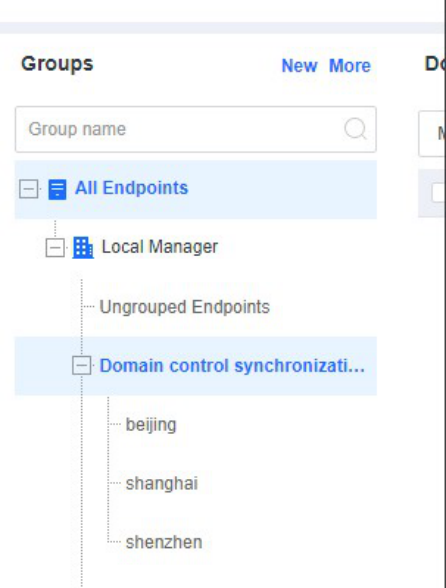
The NovaGuard manager automatically groups endpoints with the NovaGuard agent installed to the corresponding OUs when you log in to the endpoints with domain accounts.
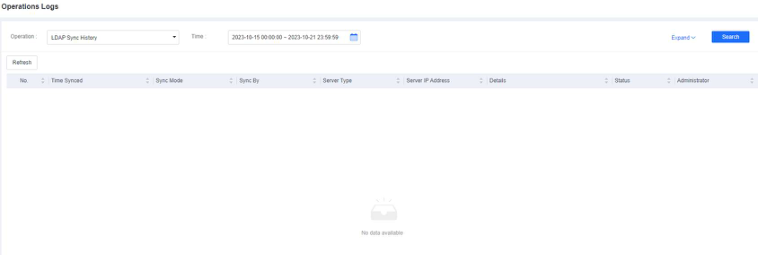
You can view LDAP synchronization details by going to System - Logs Operations Logs, as shown in the following figure.