

4.6.1.4 Anti-Ransomware
On this tab, you can configure policy settings for ransomware honeypot, RDP secondary authentication, and trusted processes.
Ransomware Protection
When Ransomware Protection is enabled, the NovaGuard agent promptly generates alerts and blocks any encryption behavior involving decoy files placed in crucial system directories on an endpoint. This proactive response is triggered upon detecting ransomware on the endpoint, effectively preventing the encryption of any business files. In addition, when a suspicious encryption process is detected, NovaGuard backs up certain file modifications or deletion operations performed by the process in real time and detects the encryption of certain files after the ransomware is already running. Finally, in scenarios
where ransomware successfully bypasses the current virus detection policies, this feature enables you to restore the endpoint based on the snapshot using Windows VSS in time, thereby minimizing the impact of encryption on business operations and contributing to establishing a comprehensive security protection system.
Settings for this feature are shown in the following figure.
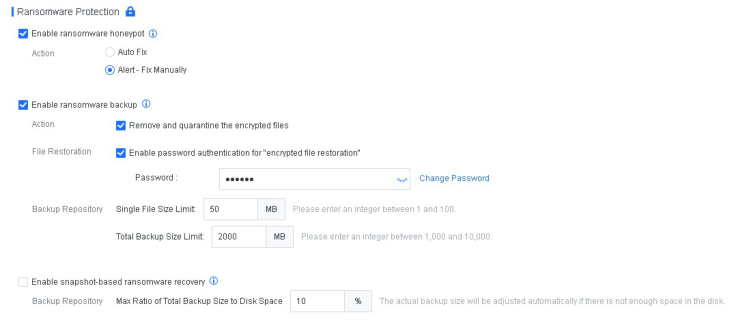
Relevant parameters are described as follows:
-
Enable ransomware honeypot : This option takes effect only when Realtime File Protection is enabled.
-
Action : Alert - Fix Manually is recommended. When ransomware is detected on an endpoint, an alert will be displayed in the lower right corner of the screen.
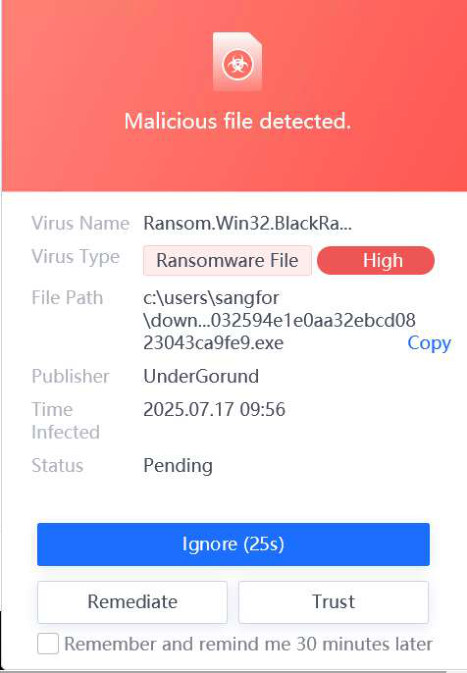
Enable ransomware backup: This option is available only when the ransomware honeypot is enabled.
You can select Remove and quarantine the encrypted files to specify it as the action to take when ransomware is detected. If you uncheck the box, no action will be taken for the encrypted files.
You can select Enable password authentication for "encrypted file restoration" .
You can configure the following settings of the Backup Repository :
a) Single file size limit : Enter an integer from 1 to 100. The default size limit is 50 MB.
b) Total backup size limit : Enter an integer in the range of 1,000 to 10,000. The default size limit is 2,000 MB.
Endpoint users can restore encrypted files on the NovaGuard agent.


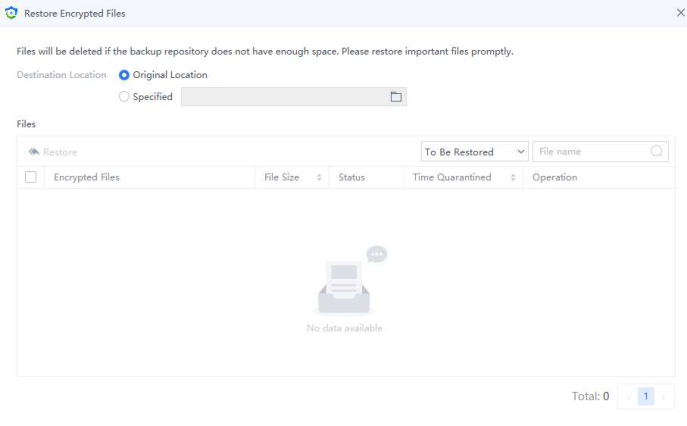
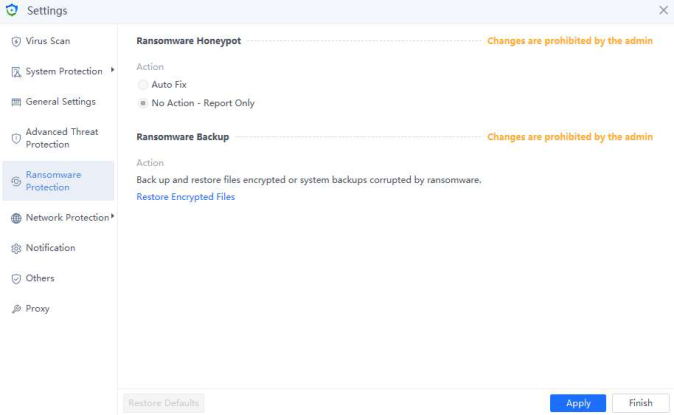
Ransomware honeypot and backup are available for endpoints running on Windows PCs
and Windows Server, and snapshot-based ransomware recovery is available for endpoints
running on versions later than Windows Server 2003.
RDP Secondary Authentication
An RDP or SSH brute-force login is one of the common attack vectors, and it is recommended that this feature be enabled.


This feature is available for Windows Server and Linux endpoints.
Secondary Authentication
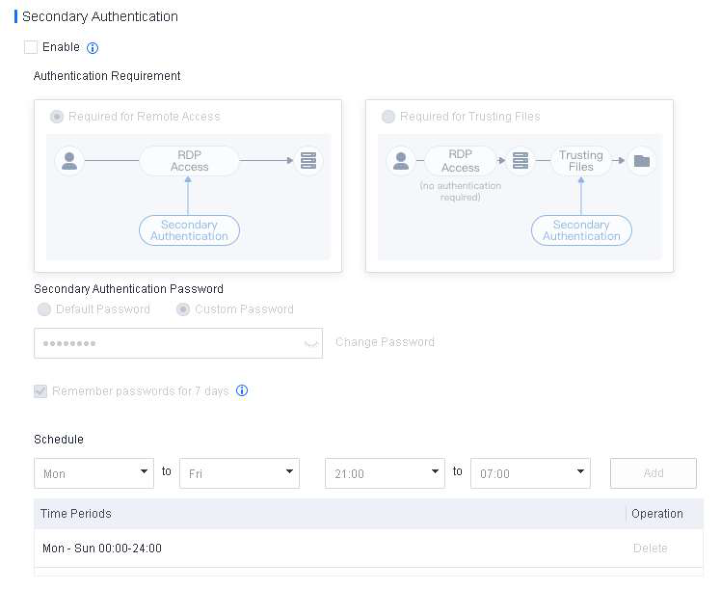
To prevent hackers from accessing a server via RDP and quickly obtaining server permissions, you can enable secondary authentication for RDP access.
Settings for Windows endpoints are shown in the following figure.
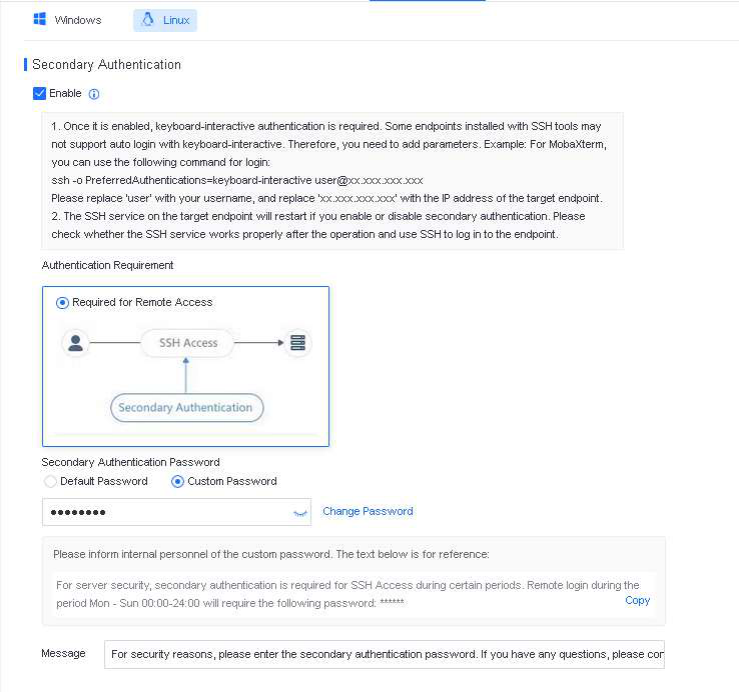
Settings for Linux endpoints are shown in the following figure.
Suppose secondary authentication for RDP access is enabled, and a hacker successfully accesses a server via RDP access. In that case, NovaGuard will lock
the screen to protect the server, as shown in the following figure.
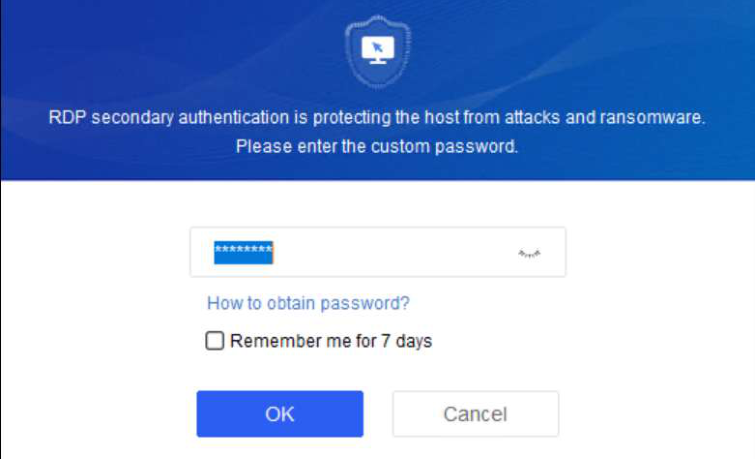
The hacker can obtain server permissions only after completing the secondary authentication process. It effectively ensures server security. It is recommended to enable secondary authentication.
Secondary Authentication for Trusting Files
To prevent hackers from infiltrating the NovaGuard trust list with malicious files and planting ransomware, you can enable secondary authentication for trusting files .
When a hacker successfully logs in to a server protected by NovaGuard and attempts to plant ransomware, the ransomware execution will fail as the file is not trusted. Nevertheless, if the hacker manages to include the ransomware in the trust list, the hacker can launch ransomware attacks successfully. If secondary authentication for trusting files is enabled, the hacker must complete the secondary authentication process to execute the file.


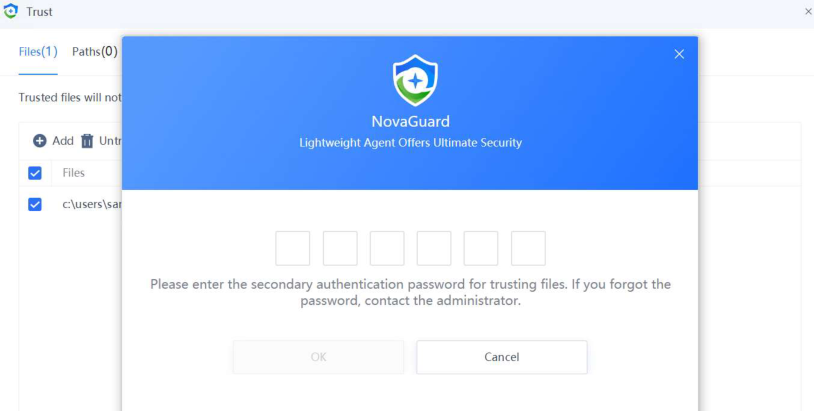
This feature is available for Windows and Linux endpoints.
Secondary Authentication Password
1. Default Password
The default password is the last six digits of the administrator's mobile number. For instance, if the administrator's mobile number is 15258227998, the default password is 227998. To configure the administrator's contact information, go to Policies - Basic Config, as shown in the following figure.


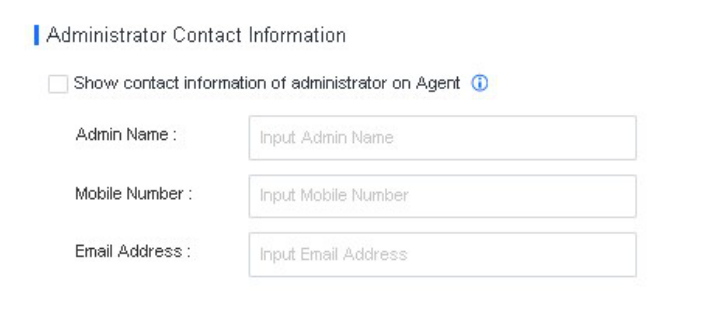
The default password is recommended, provided the administrator's mobile number is
correctly configured. To obtain the mobile number, the server O&M administrator can check
the company contact list or the NovaGuard information.
2. Custom Password
After Custom Password is selected and a custom password is configured, the server O&M administrator cannot access the server remotely if the administrator does not know the password. To avoid such remote access failures during critical business periods, it is recommended to inform the administrator of the custom password as soon as possible.
Schedule
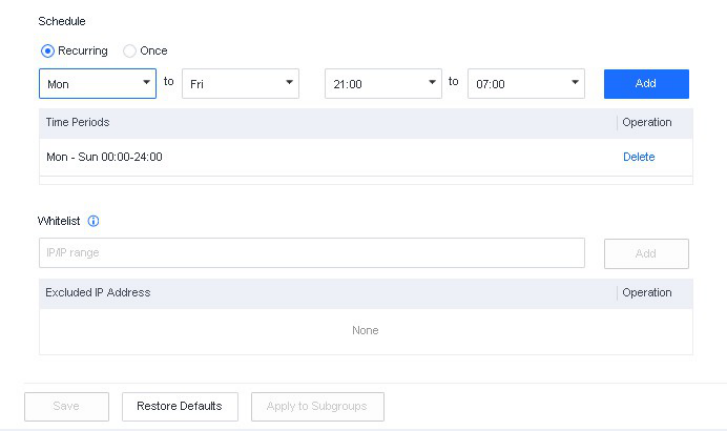
You can specify the time during which RDP secondary authentication is applied. By default, secondary authentication is applied at all times.
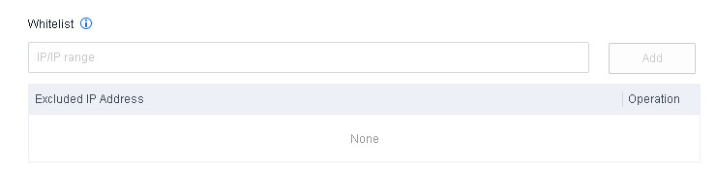
Whitelist
RDP secondary authentication is not required for remote access to the server from IP addresses in the whitelist during critical business periods. For trusted endpoints that attempt to access the server, you can add their IP addresses to the whitelist.
Trusted Processes
This feature protects the server system or specific directories on the server. When enabled, it allows only trusted processes to run, read, and write. You can also enable RDP access protection.
Contents
4.6.1.4.1 Scenario 1: Protect the System4.6.1.4.2 Scenario 2: Protect the Specified Directories