4.6.1.6 General Settings
On this tab, you can configure general settings for the following aspects: Intelligent Identification of Development Environment, Quarantine
Management, Agent Bypass, and Agent Performance Protection .
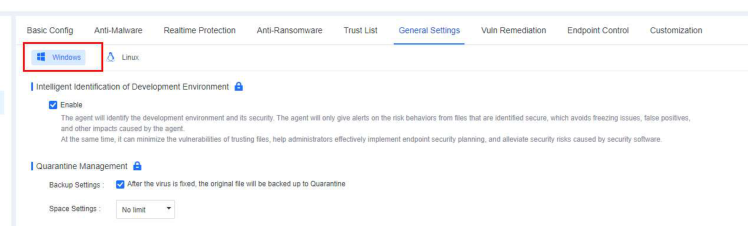
1. Intelligent Identification of Development Environment
The development environment is important, producing numerous unsigned compiled files that antivirus software might flag as false positives. It disrupts developers' work and may even make them hesitant to install antivirus software, posing security risks. This feature intelligently identifies the development environment, reduces false positives, and keeps the development environment secure.

After enabling Intelligent Identification of Development Environment, it intelligently scans for the presence of compiling software on endpoints. A pop up window appears when the compiler is detected, prompting endpoint users to confirm whether they are using a development environment, as shown in the following figure.
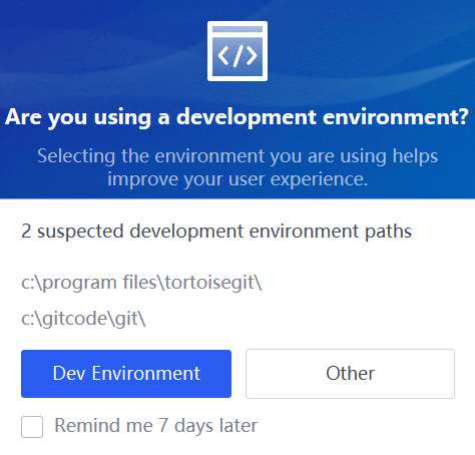
Endpoint users can select Dev Environment or Other .
When Other is selected, this feature fixes threats according to the antivirus policy.
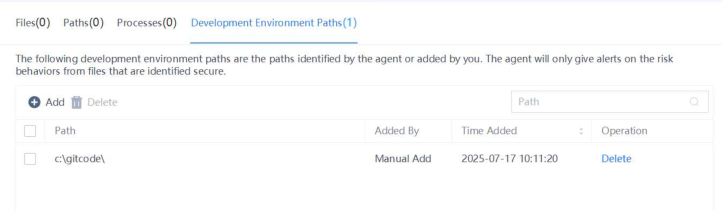
When Dev Environment is selected, intelligently identified paths are automatically added in Trust - Development Environment Paths on the NovaGuard agent. For compiled files generated during the execution of the compiling software, NovaGuard only reports them without fixing them or giving alerts, as shown in the following figure.
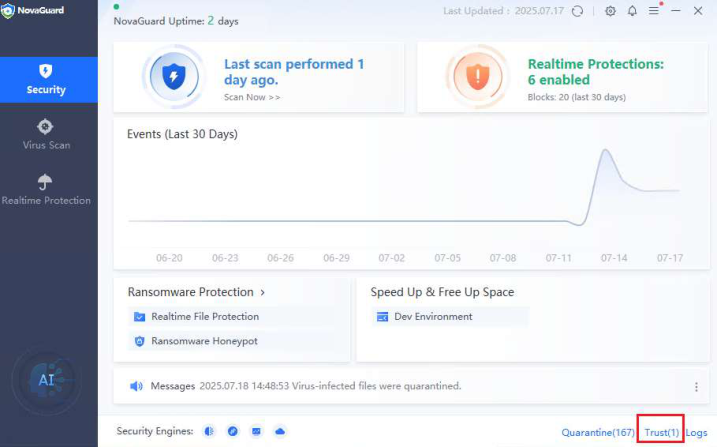

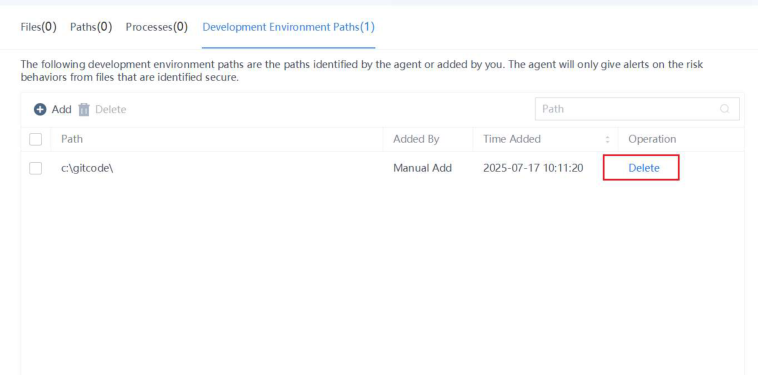
Endpoint users can manually add or delete a development environment path, as shown in the following figure.
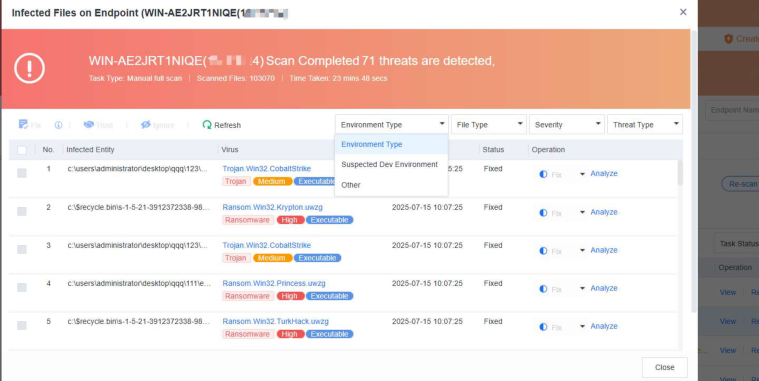
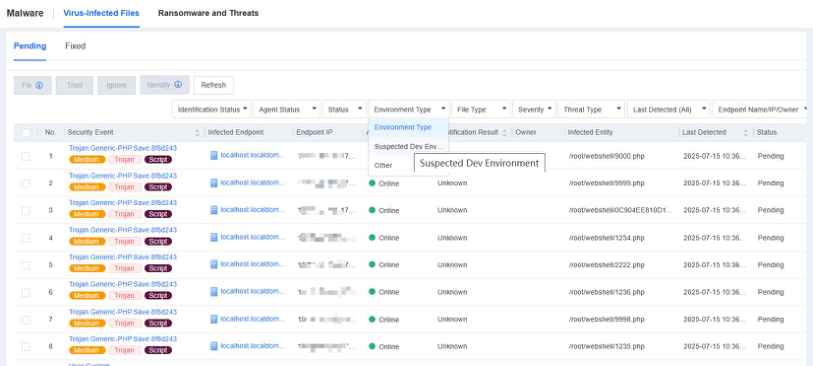
For an intelligently identified path, a Suspected Development Environment tag is shown on the Defense > Malware Scan - Virus List page and the Defense > Malware Scan - Tasks page. When you handle viruses on the NovaGuard manager as an administrator, you can select Suspected Development Environment as the Environment Type to avoid false positives.
2. Quarantine Management

Backup Settings : If this feature is enabled, the original file will be backed up to Quarantine after the virus is fixed.
Space Settings : Configure the size of the Quarantine area on an endpoint or set it as No limit .


Quarantine management is not available for macOS endpoints.
3. Agent Bypass
Agent bypass is available for endpoints running on Windows Server and Linux.
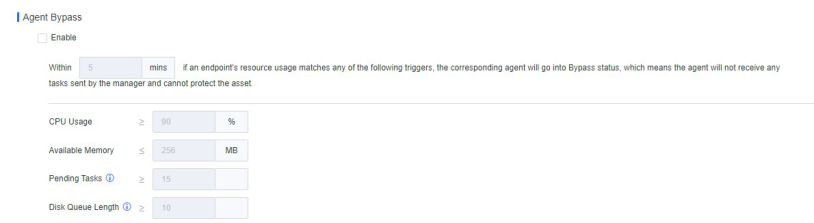
Agent bypass refers to the policy applicable to scenarios where the NovaGuard agent actively monitors resources on an endpoint. Suppose the average usage of any resources (CPU, memory, or load) on the endpoint reaches or exceeds the threshold within a specified period. In that case, the NovaGuard agent automatically enters the Bypass state to release occupied resources, preventing disruptions to business operations from resource contention. On the contrary, suppose the average usage of any resource (CPU, memory, or load) on the endpoint remains below the set threshold. In that case, the endpoint is automatically restored to its normal state.
In the Bypass state, the NovaGuard agent releases occupied resources, the agent will not receive any tasks sent by the manager, and the agent cannot protect the asset.


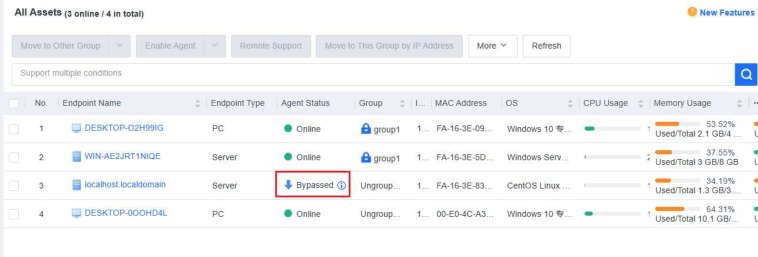
Agent bypass is available for Windows Server and Linux endpoints.
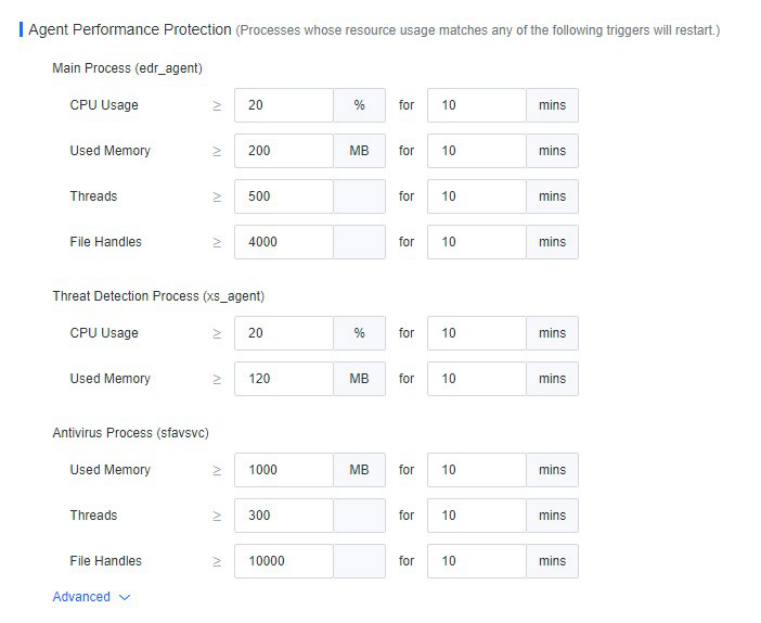
4. Agent Performance Protection
Processes whose resource usage matches any threshold will restart. It aims to constrain the resource usage of the NovaGuard agent processes to prevent them from occupying too many business resources. Thresholds for the resource usage of the processes can only be adjusted to higher values than the default values. In scenarios with adequate server resources, you can increase the thresholds for the resource usage of the NovaGuard agent, enabling faster and more comprehensive detection. This feature is available for Windows Server and Linux endpoints.