

4.6.1.7 Vuln Remediation
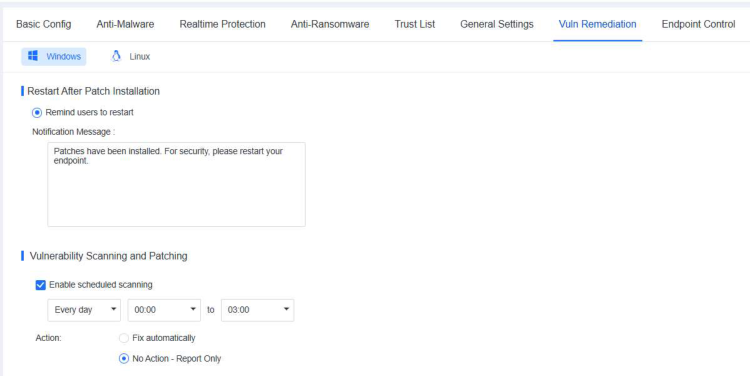
On this tab, you can customize vulnerability scan settings for Windows and Linux systems separately. Specifically, you can configure scheduled vulnerability scan tasks for endpoints, and select whether to remind users to restart endpoints after patch installation to ensure that the installed patches take effect.
Note:
-
Patching is available for Windows PCs and Windows Server endpoints.
-
For details about systems that support this feature, see Compatibility Support.
1. Restart After Patch Installation
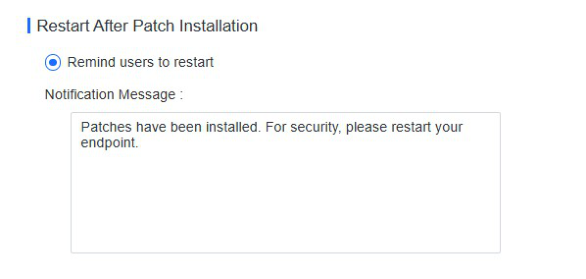
Certain patches take effect only after the endpoint restarts. You can specify the restart policy by selecting Remind users to restart and customize the notification message to send after patch installation.
Go to Risk Assessment - Windows Update or Risk Assessment > Vulnerabilities to scan for and fix vulnerabilities. When it is required to restart the endpoint following patch installation, a prompt appears, as shown in the
following figure.
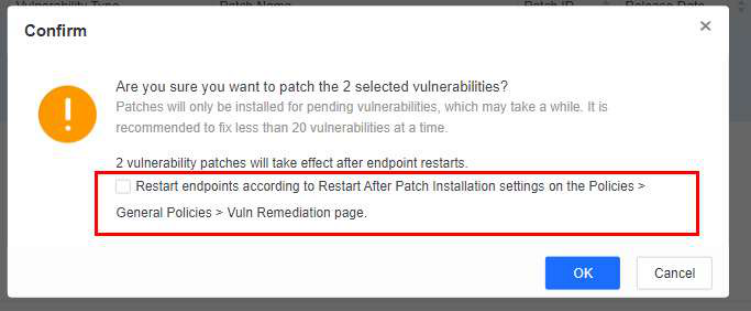
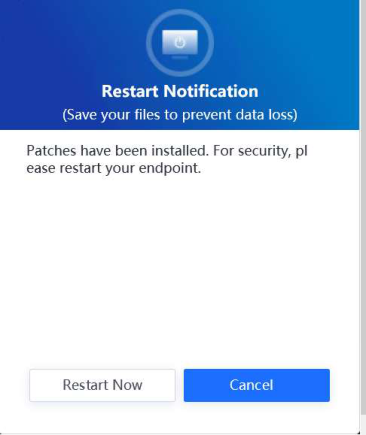
If you select this option and Remind users to restart is selected as the restart policy, a pop-up reminder appears on the endpoint, as shown in the following figure.
2. Vulnerability Scanning and Patching
Select Enable scheduled scanning to enable scan tasks to run as scheduled.
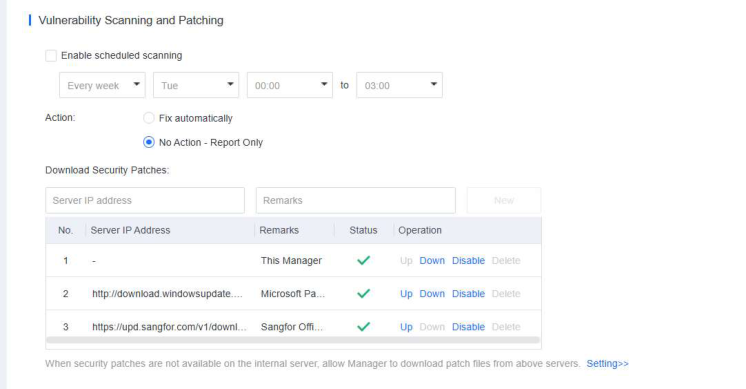
Relevant parameters are described as follows:
-
Scheduled scanning: Specify the time for the vulnerability scan to run.
-
Action: Specify the method for fixing vulnerabilities, including Fix automatically and No Action - Report Only (recommended).
-
Download Security Patches: Specify the server where vulnerability patches for endpoints can be downloaded. Default options include ForeNova CDN Server, Microsoft Patch Server, and the NovaGuard manager.
Install vulnerability patches when an endpoint is offline
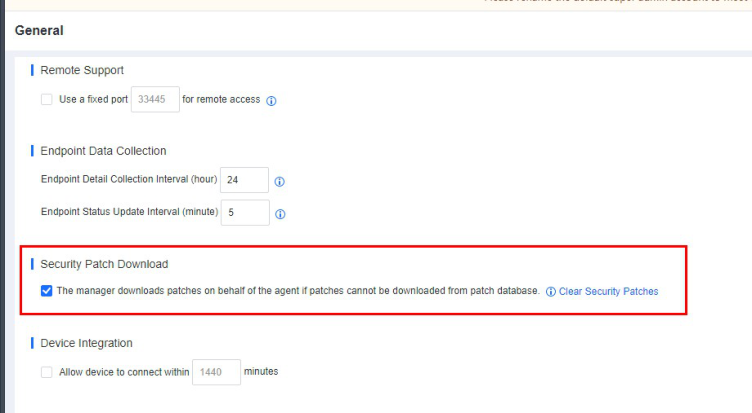
In cases where an endpoint does not have an Internet connection, while the NovaGuard manager is connected to the Internet, the endpoint cannot download vulnerability patches from an online server. To install vulnerability patches, go to System - System - General . Select The manager downloads patches on behalf of the agent if patches cannot be downloaded from patch database to enable the NovaGuard manager to download patches on
behalf of the NovaGuard agent, as shown in the following figure.
Note:
If an endpoint and NovaGuard manager are not connected to the Internet, you can
download vulnerability patches using offline tools. For details, see the 4.7.9.9 Tools
in this document.
This feature enables you to identify and install vulnerability patches for Windows endpoints
and applications and identify vulnerability patches for Linux endpoints. It does not support
the automatic installation of vulnerability patches for Linux endpoints.
