

NovaGuard › Product Documentation › NovaGuard 6.04R4 User Manual › 4.7.10.2 Troubleshooting Logs
4.7.10.2 Troubleshooting Logs
Step 1. Click Obtain Logs and specify the endpoints and log types, as shown in the following figure.
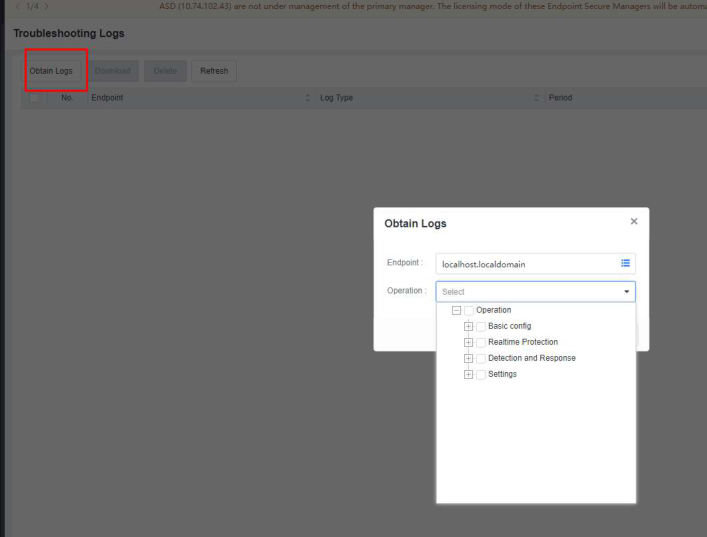
Step 2. Click OK and wait for the process to complete. Click Download to download the troubleshooting logs.

NovaGuard 6.04R4 Manual.pdfPDF · English · 24.1 MB
Download