

4.7.5.1 Administrator Roles
You can create administrator accounts with different roles as needed. To create an administrator account, go to System - Administrators and click New > Local Account, as shown in the following figure.
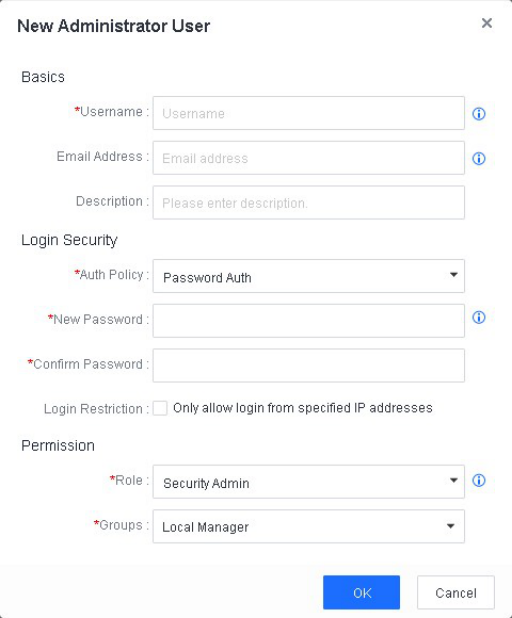
In the Role field, select one of the following roles as needed:
System Admin : Allowed to view the home page and configure system settings (excluding log settings).
Security Admin : Allowed to view and configure administrators, security policies, and security events. This role cannot perform operations on micro segmentation, integrated devices, reports, account management, system updates, licensing, branches, and system settings.
Audit Admin : Can only view system information. This role cannot perform any operations to edit, add, or delete information.
