4.7.5.2 Manager Login Authentication
You can select the NovaGuard manager Auth Policy from Password Auth or
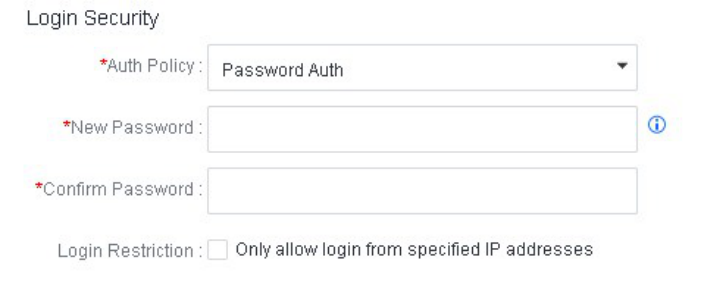
Password + TOTP . Go to System - Administrators, click New > Local Account to create an administrator account and select Password Auth as the Auth Policy, as shown in the following figure.
Password + TOTP
This two-factor authentication method requires administrators to log in to the NovaGuard manager using their account passwords and TOTPs sent to their mobile devices. The configuration procedure is as follows:
Go to System - Administrators . Click New in the upper right corner or Edit in the Operation column of an existing account. Then, select Password + TOTP for Auth Policy, as shown in the following figure.
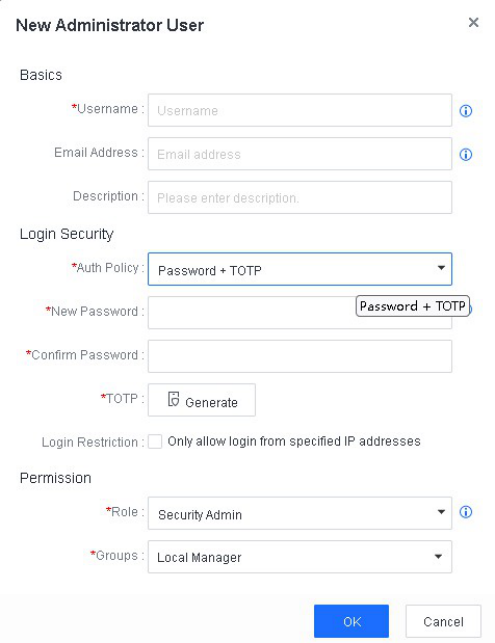
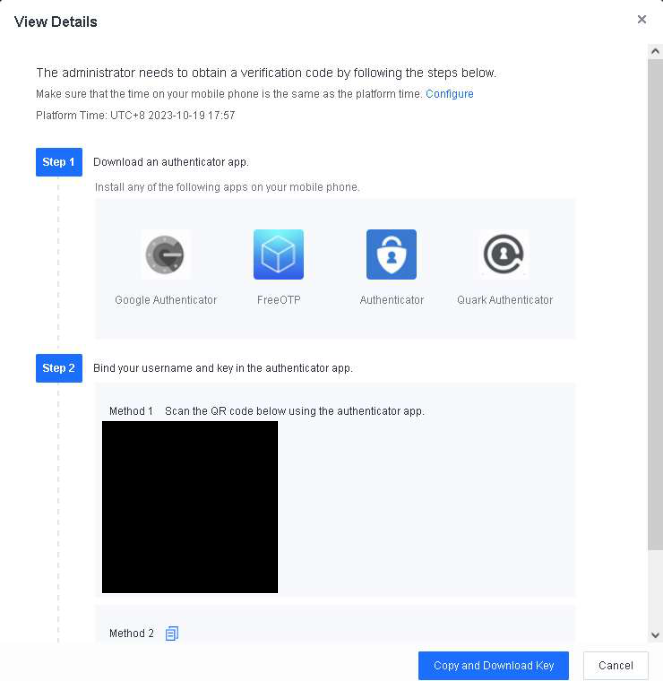
Click Generate and add authentication information as prompted, as shown in the following figure.
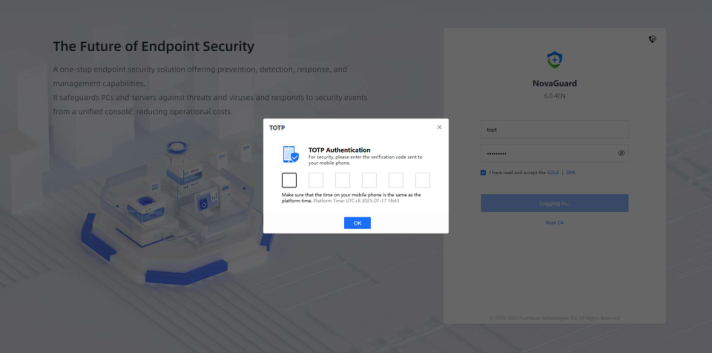
After the configuration, administrators must enter their account passwords and TOTPs sent to their mobile devices when they log in to the NovaGuard manager, as shown in the following figure.