

4.7.9.3 Network
In the Network module, you can configure settings for the network interfaces, routing, DNS, SSH service, and NovaGuard manager ports.
Interfaces
You need to specify an IP address for the communication between the NovaGuard manager and NovaGuard agent and access to the NovaGuard manager. To specify the IP address, go to System - System - Network Interfaces, as shown in the following figure.

Click the name of the interface that you want to configure, as shown in the following figure.
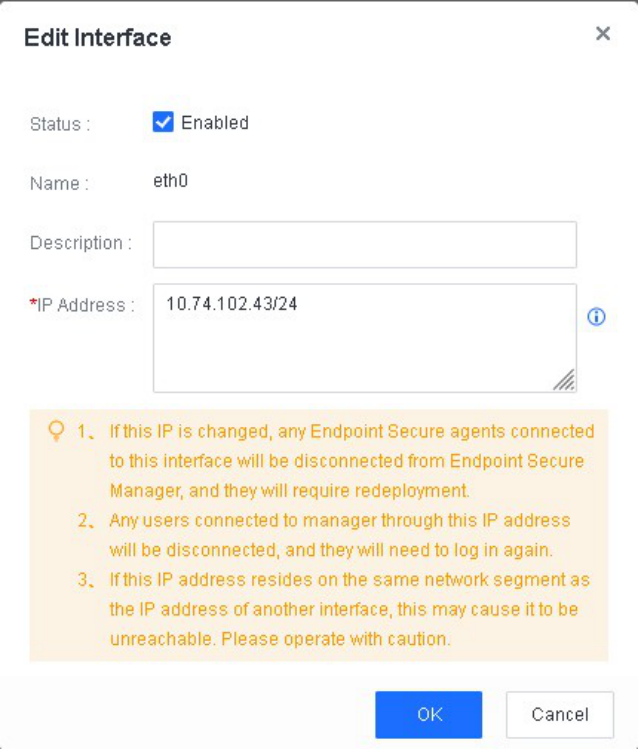
Warning:
- If the specified IP address is changed, endpoints installed with the NovaGuard agent and
connected to the interface will be disconnected from the NovaGuard manager and must be
redeployed. Proceed with caution.
- The Routing and Advanced tabs are displayed if you use an ISO or OVA image for the
deployment but are not displayed if you use an offline installation package and script.
Routing
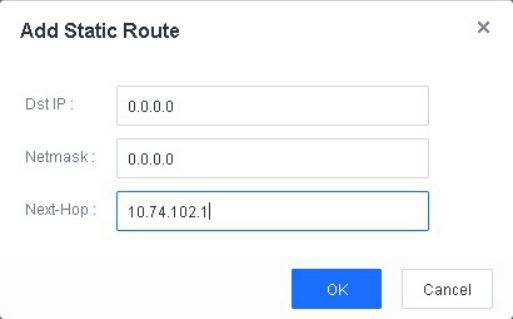
You must configure route settings for the NovaGuard manager to connect to the Internet and communicate with endpoints. To configure a route, go to System - System - Network - Routing, and click New, as shown in the following figure.
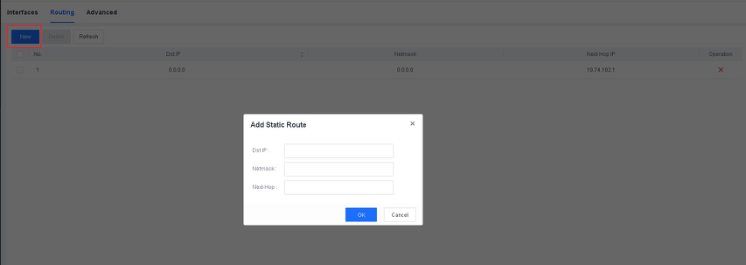
In the dialog box that appears, configure parameters as required, and click OK .
Domain Connectivity Tests
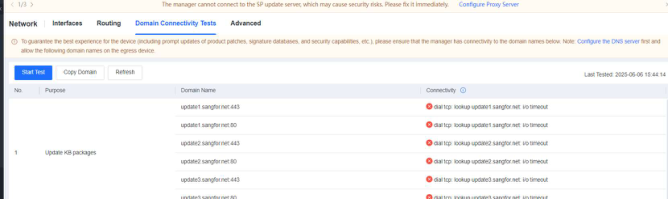
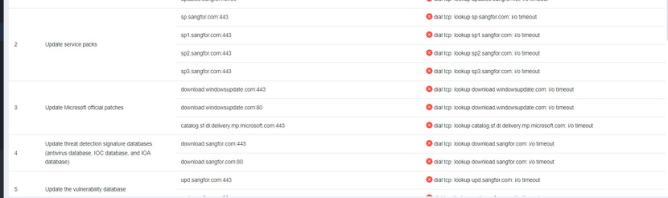
After the administrator logs in to the manager, a pop-up window prompts the administrator to perform domain connectivity tests.
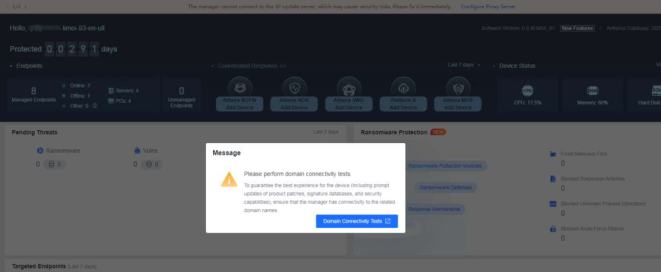
Go to the System - Network - Domain Connectivity Tests page as promoted to start domain connectivity tests.
Advanced
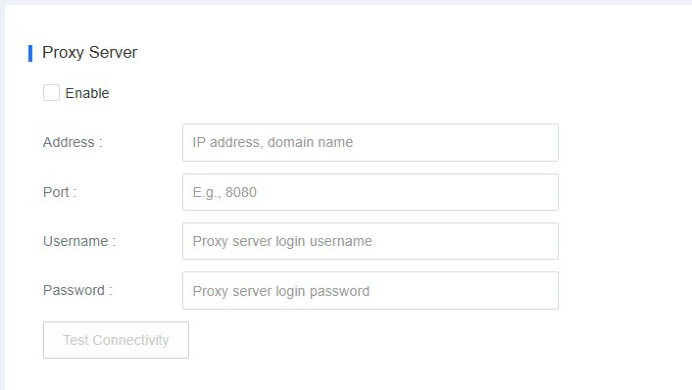
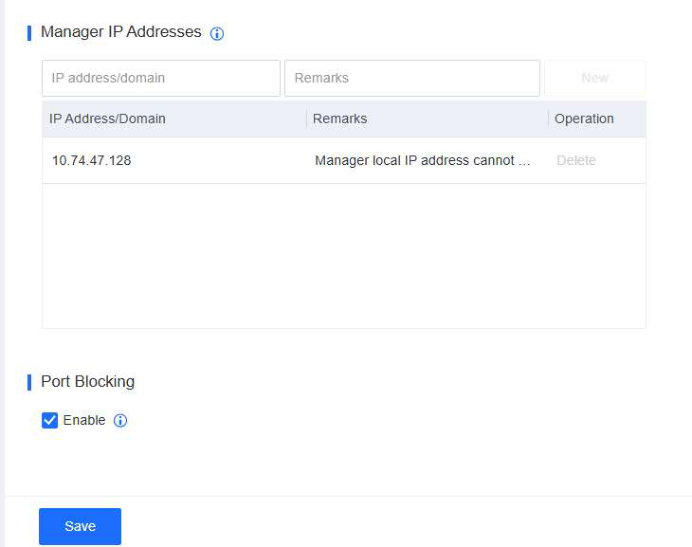
To configure settings for the SSH service, DNS, NovaGuard manager access port, proxy, and NovaGuard manager access IP addresses, go to System System - Network - Advanced, as shown in the following figures.
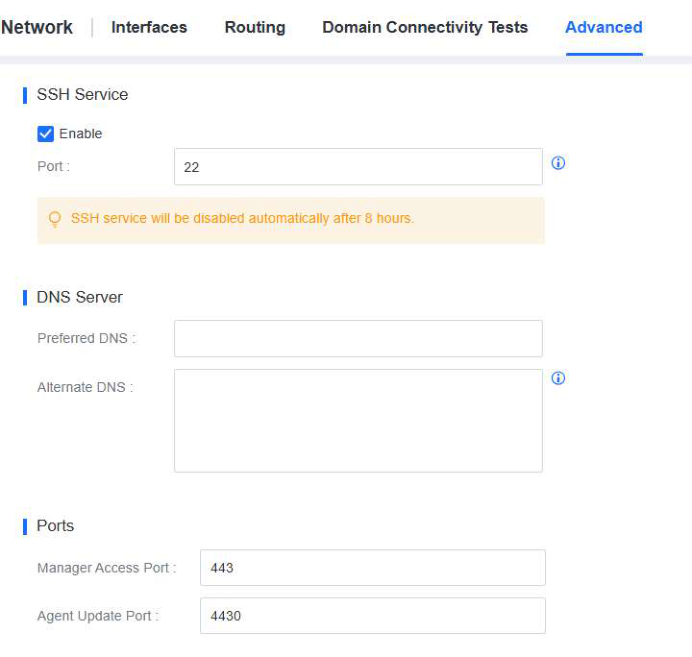
SSH Service : Specify whether to enable the SSH service. By default, the SSH service is disabled and will use port 22345 if you enable it. The service is automatically disabled after eight hours. If you are not using cascade deployment, we recommend that you do not enable the SSH service.
DNS Server : Specify the IP addresses of the DNS server for the NovaGuard manager. The DNS service is required for the NovaGuard manager to connect to the Internet and update the antivirus database.
Ports : Specify the port for NovaGuard manager access and for NovaGuard agent updates.
Proxy Server : If the NovaGuard manager cannot directly connect to the Internet and you have deployed a proxy server, you can configure the proxy server's settings for purposes such as updating databases and using a Cloud Based Engine. HTTP and HTTPS proxies are supported.
Manager IP Addresses : Specify multiple NovaGuard manager IP addresses or domain names. The NovaGuard agent will test the connectivity of the specified IP addresses from top to bottom and connect to the first accessible IP address. This feature solves issues in the following scenarios:
- Remote working
When endpoint users work in the office, the NovaGuard agent connects to the NovaGuard manager through internal IP addresses. When endpoint users are on a business trip or work remotely, the NovaGuard agent connects to the NovaGuard manager through external IP addresses. This switchover ensures continuous communication.
In this scenario, you must specify internal and external IP addresses in the Manager IP Addresses section.
- NovaGuard manager migration Assume that a customer has deployed the NovaGuard agent on many endpoints and needs to migrate the NovaGuard manager with a single IP address to a host of new IP address ranges due to network transformation. To connect the NovaGuard agent to the NovaGuard manager after the migration, the customer must redeploy the NovaGuard agent on those endpoints. To avoid that issue, the NovaGuard manager supports multiple IP addresses. You can specify the destination IP address before the NovaGuard manager migration so that endpoints installed with the NovaGuard agent can connect to the NovaGuard manager after migration.
In this scenario, you must specify both the source and destination IP addresses in the Manager IP Addresses section.
Port Blocking : If you enable port blocking, the host where the NovaGuard manager is located only enables the ports used by NovaGuard, such as ports 443, 4430, 8083, and 54120.
