

Connect Microsoft 365 to ForeNova XDR with Entra
M365 to ForeNova XDR
Entra application Setup
| Field | Value |
|---|---|
| Name | M365 to ForeNova XDR – Entra Application Setup |
| Owner | Service Delivery |
| Classification | Confidential – External |
| Status | APPROVED |
| Version | 1.0.EU |
| Date | 13 November 2025 |
| Next Review | 13 November 2026 |
© 2025 ForeNova Technologies GmbH
1 SETUP APPLICATION IN MICROSOFT ENTRA
ForeNova MDR supports ingestion of M365 log files into the ForeNova XDR platform. To activate this service, ForeNova needs to get access to the M365 tenant of the customer. For this purpose, the customer needs to create an application in Microsoft Entra. After creating the application, the customer can share the details with ForeNova as mentioned below.
2 CREATING THE APPLICATION
To create the application, open the Entra environment via: https://entra.microsoft.com
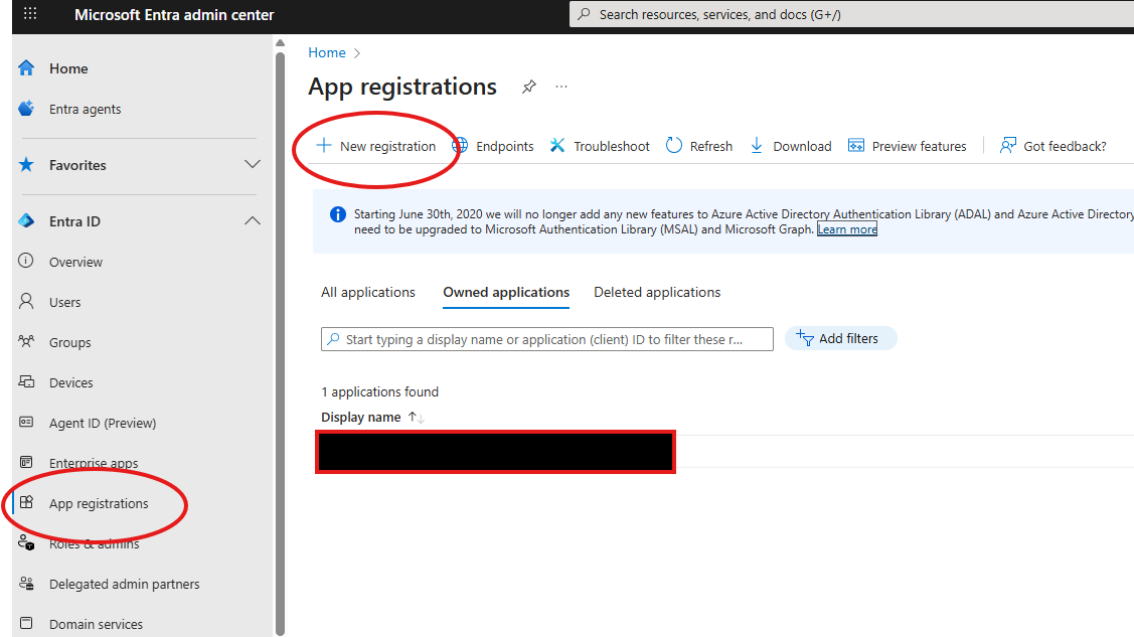
Give the new application a name (example O365-XDR) Choose: Single tenant Click Register
The application will be created, and you can now set the permissions for this new application.
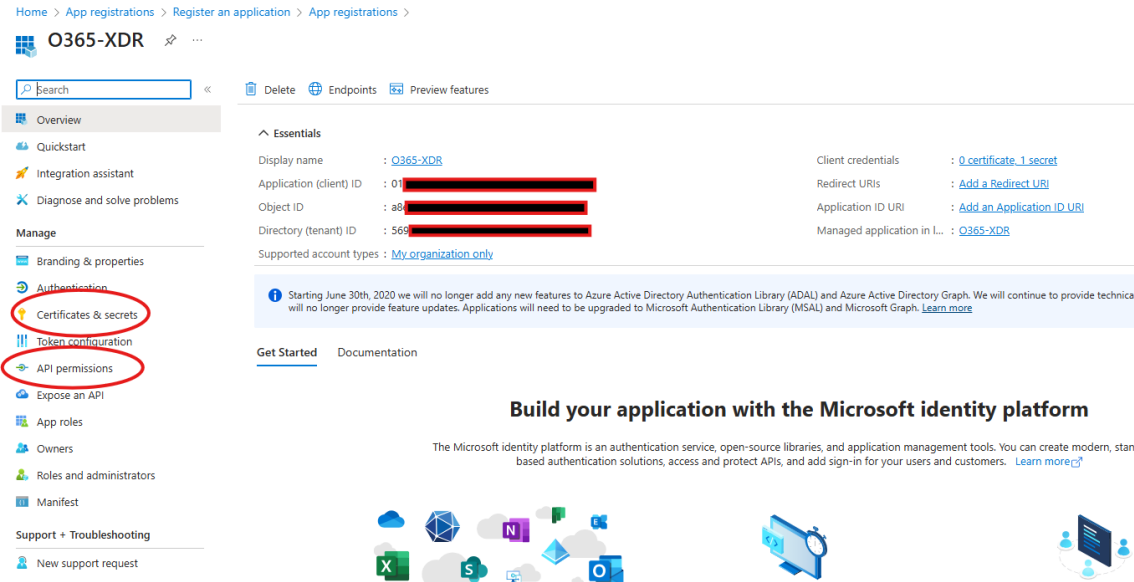
There are two things that needs to be done, create a certificate and secret and set the API permissions.
3 CERTIFICATE
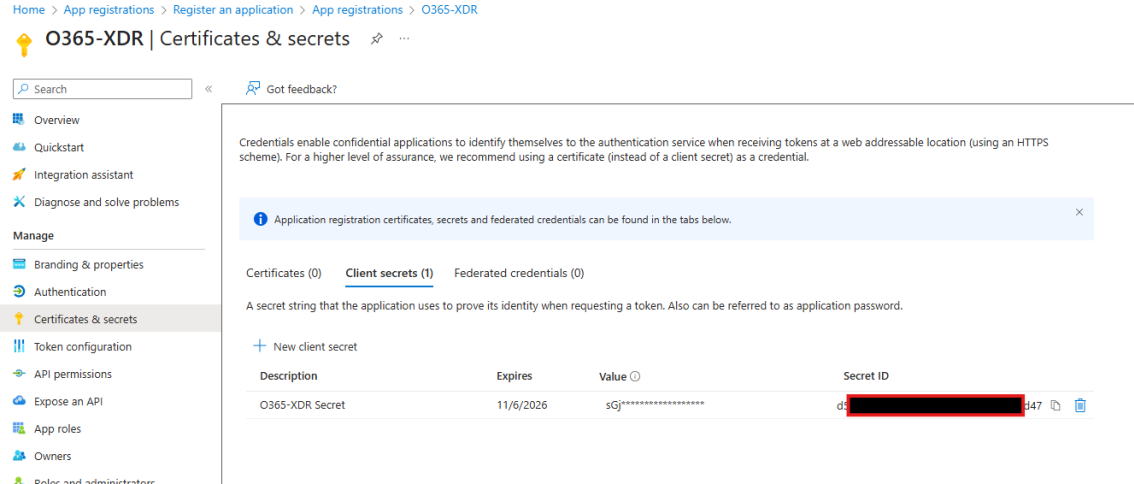
Create a new client secret and set a name and expiry date (recommended at least 1 year), after expiring, we need a new client secret. Copy the value and the Secret ID, after saving you cannot copy the value anymore.
4 API PERMISSIONS
Set the API permissions so ForeNova XDR can access the correct logfiles from the M365 tenant.
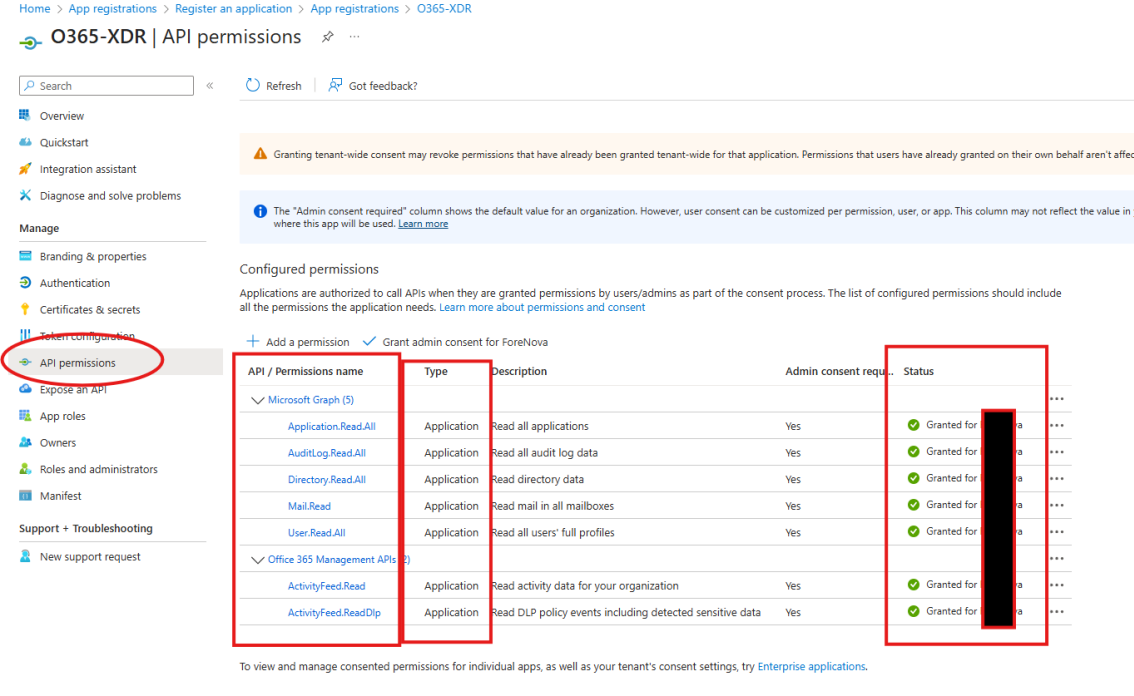
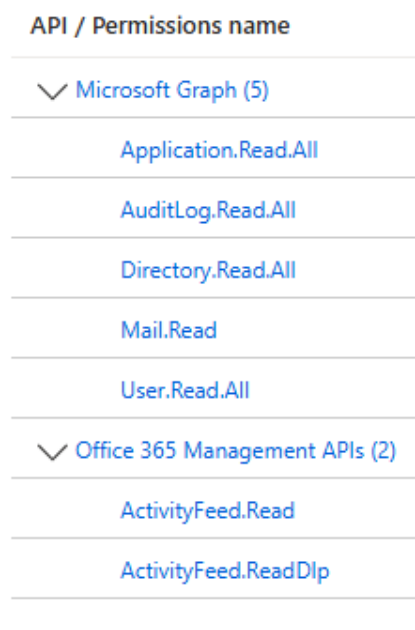
Set the following permissions as shown in screenshot above. Important, type needs to be: Application Grant access for the whole company (tenant)
| API | Permissions name | Type |
|---|---|---|
| Microsoft Graph | Application.Read.All | Application |
| Microsoft Graph | AuditLog.Read.All | Application |
| Microsoft Graph | Directory.Read.All | Application |
| Microsoft Graph | Mail.Read | Application |
| Microsoft Graph | User.Read.All | Application |
| Office 365 Management APIs | ActivityFeed.Read | Application |
| Office 365 Management APIs | ActivityFeed.ReadDlp | Application |
5 SHARING INFORMATION WITH FORENOVA
If this is all set, please let ForeNova know the following information: Tenant ID (copy from overview information of the application) Client ID (copy from overview information of the application) Client Secret (copy the value from the details you created when setting up the client secret)
If you have issues creating the application or questions on how this works, please reach out t your contact person within ForeNova,
